Marketers
A shared team for strategy, copy, design and campaigns, every month.
Website developmentCapability pages, useful proof and a direct path to an enquiry.
BrandingPositioning, identity and sales material that explain why you're worth choosing.
SEO and AI searchGet found on Google and in AI answers by the people who buy what you make.
Performance marketingGoogle, LinkedIn and Meta ads measured on qualified enquiries.
AI automation & CRMEvery enquiry gets an owner and a next step, with human review.
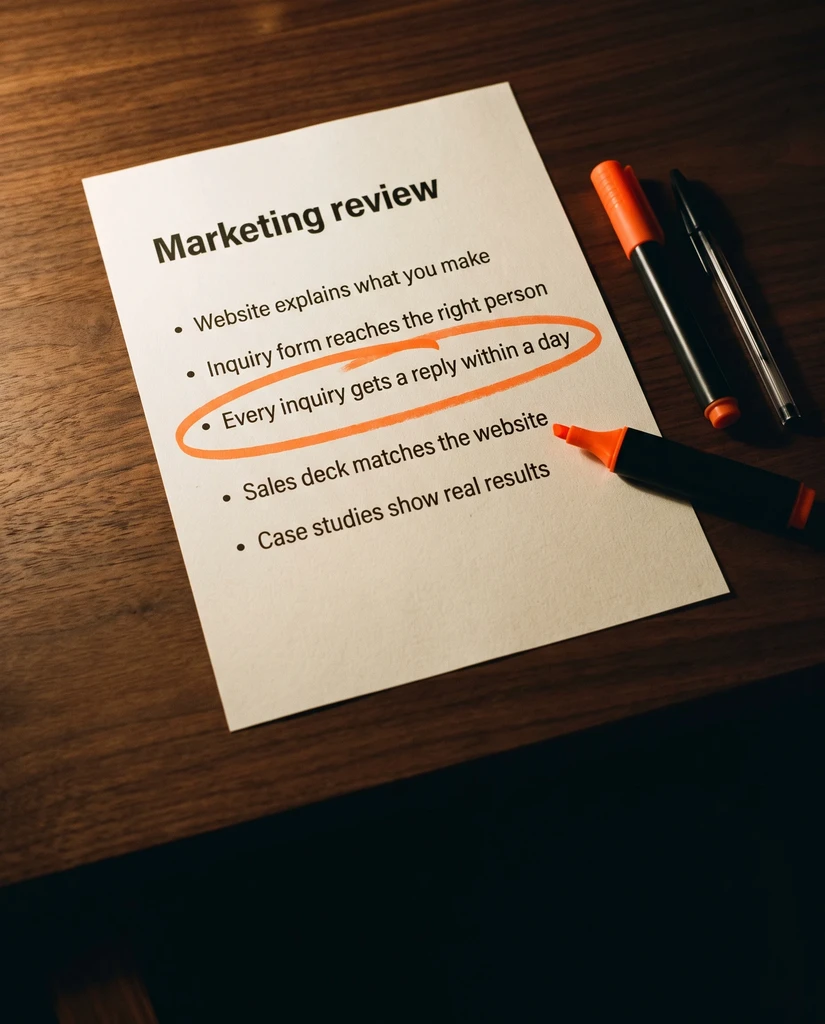 Two minutes, no email neededFind the one thing to fix firstTake the quiz→
B2B Website Redesign Brief: What to Decide Before You Hire
Plan a B2B website redesign with a clear brief covering content, SEO migration, forms, ownership, testing and handover before hiring an agency.
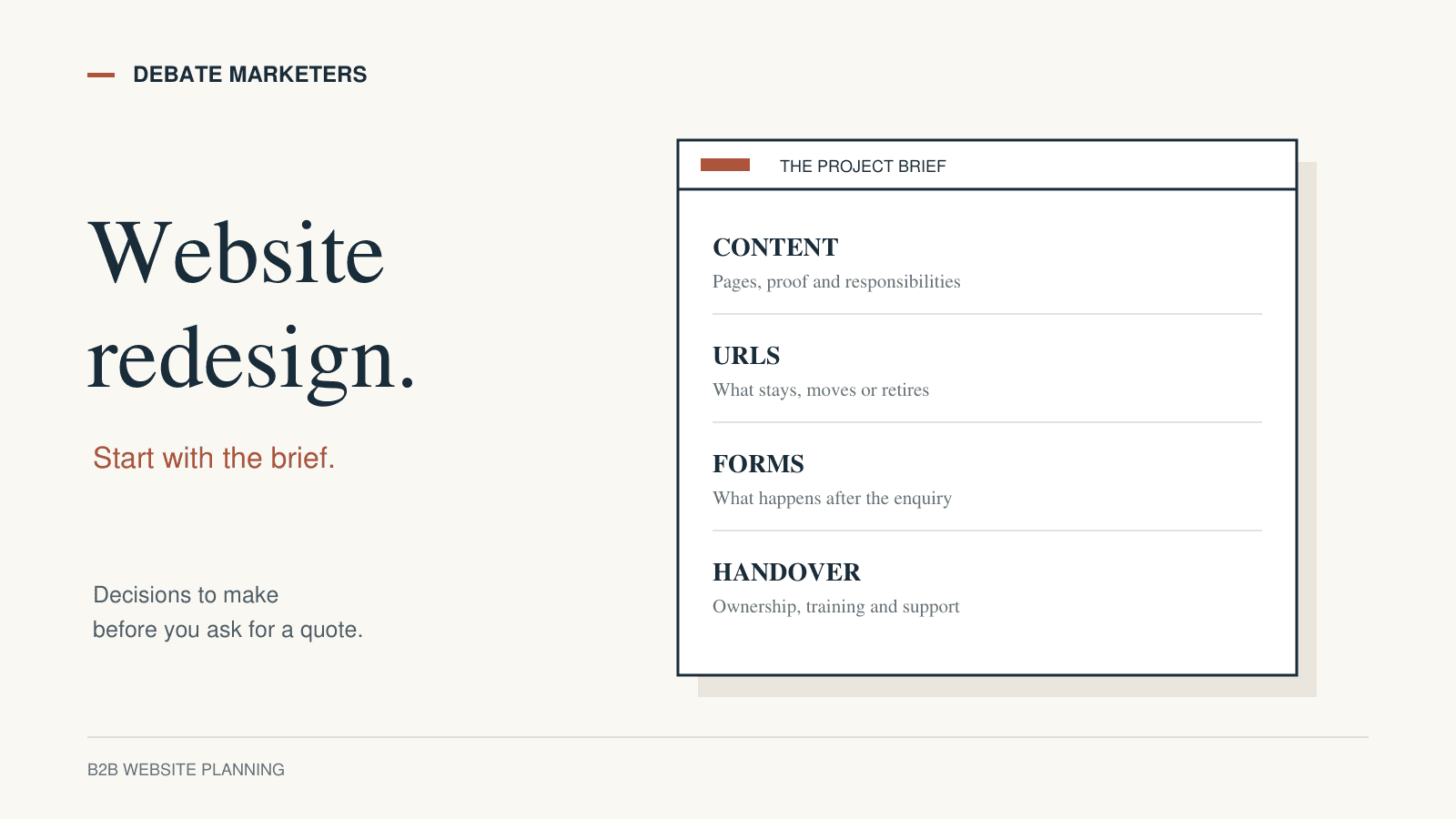
A website redesign can become expensive before anyone writes a line of code. One person expects a sharper homepage. Another expects a complete product catalogue. Sales wants downloadable specifications. The marketing team assumes the agency will preserve every existing search landing page.
If those expectations appear after the proposal is signed, the project starts with a scope problem.
A useful B2B website redesign brief makes the important decisions visible early. It explains who the website serves, what those people need to do, what must survive the rebuild and how your team will judge the finished work.
For manufacturers and owner-led firms in India selling locally or internationally, the brief should connect commercial priorities with practical delivery requirements. Here is what to put in it before asking agencies for a quote.
1. State the buying problem the website must solve
Start with a problem your team can recognise. “We need a modern website” leaves almost every decision open.
More useful starting points might be:
Buyers cannot tell which materials or applications you support.
Sales repeatedly emails basic technical information missing from product pages.
Export prospects cannot find the documentation needed to evaluate you.
Your team needs a developer for every routine content update.
Choose one primary problem, then identify the audience and the action the website should support. A procurement manager comparing suppliers needs different information from an engineer checking suitability or a distributor assessing your range.
Write down what the website can reasonably influence. Better navigation, clearer specifications and a working enquiry path are project outcomes you can test. Revenue also depends on demand, pricing, sales capacity and other factors beyond the build.
If the underlying issue is unclear capability information, start with our guide to manufacturing websites buyers and search can understand.
2. Inventory the website you already have
Give the agency a picture of the current site before asking it to estimate the replacement.
List page types, individual pages, downloads, forms and connected tools. Include the less visible assets: campaign landing pages, specification PDFs, dealer pages and links used in printed brochures or sales presentations.
For each important page, record:
Its current URL and purpose
The audience it serves
Whether the content stays, changes, merges or retires
Who can verify the information
Any evidence of traffic or business usefulness available to your team
A page with modest traffic may still answer a critical question for a valuable account. Review business usefulness alongside analytics.
Ask for separate estimates for discovery and inventory work if you cannot provide this information yourself. Otherwise, agencies may quote against different assumptions about how much content exists.
3. Define templates, content volume and responsibility
“Twenty pages” is a weak description of website scope. Twenty pages using two shared layouts can involve very different work from twenty individually designed pages.
Specify the likely templates: homepage, capability page, product family, product detail, case study, article and contact page. Then estimate the number of records for each.
Next, assign content responsibilities. Who interviews your technical team? Who writes the first draft? Who checks specifications? Who provides photography and permission to use customer names? Who uploads the approved content?
For an international audience, identify the languages and markets actually included. State who approves translations and market-specific claims. Do not assume a translated homepage covers an entire multilingual website.
Also describe what your team needs to edit after launch. For example, an editor may need to add a product, replace a datasheet and update an FAQ without altering the page design. Our Framer CMS content-structure guide explores that maintenance question in more detail.
4. Give SEO preservation its own deliverable
A redesign may change layouts without changing URLs. A migration may also change the platform, domain or URL structure. State which changes you are considering so the agency can plan the right checks.
Google's site-move guidance recommends mapping old URLs to their new destinations, testing the new site and monitoring both sets of URLs. Google also warns that rankings can fluctuate while it recrawls and reindexes changed pages.
Ask the agency to describe its migration deliverables, including responsibility for:
Reviewing the existing URL inventory
Preserving useful URLs where appropriate
Mapping and testing redirects where URLs change
Checking internal links, canonical references and the sitemap
Checking launch-time crawling and indexing settings
Reviewing important downloads and images that are moving
Agree who monitors the site after launch and how problems are escalated. “SEO included” needs enough detail to establish who does this work.
5. Specify forms and integrations as user journeys
An enquiry form is only one part of a workflow. Your brief should explain what happens after somebody submits it.
Describe the required fields, any file uploads, the confirmation message, the receiving inbox or system, and the person responsible for testing the handoff. Identify existing CRM connections and any dependencies on third-party suppliers.
Use a concrete acceptance scenario: a buyer submits the agreed fields, sees the right confirmation, and the authorised recipient receives the expected information. Include an error scenario too, such as a missing required field or unsupported attachment.
Keep test data fictional. Decide who approves the form's privacy wording and data-handling requirements. Where specialist advice is needed, make that dependency visible in the schedule.
This level of detail helps distinguish a simple contact form from an integration that needs additional development and support.
6. Make quality checks specific
Ask agencies to name the pages, devices and interactions they will test. “Responsive and fast” is difficult to review without an agreed method.
For performance, Google's Web Vitals guidance identifies loading, responsiveness and visual stability as separate measures. It also distinguishes real-user field data from controlled lab tests. Ask for a pre-launch testing method and a post-launch review where sufficient field data is available. A single performance score should not become the entire acceptance test.
For accessibility, specify an appropriate review scope and the expertise needed. The W3C's Easy Checks covers starting points such as keyboard access, visible focus, headings and form labels. W3C explicitly cautions that these checks are not a comprehensive evaluation.
Also test ordinary editing conditions: long product names, missing optional images, larger text and realistic catalogue entries. A design should be reviewed with the content it will actually carry.
7. Agree ownership, handover and support
Before selecting a platform, describe the capabilities and access your business will need after the project.
Clarify who controls the domain, hosting or site plan, CMS workspace, analytics and other connected accounts. Record recurring software costs separately from the build fee. Identify any paid fonts, stock assets or components and the applicable usage arrangements.
Request a practical handover. Your nominated editor should be able to complete an agreed task, such as adding a draft product and previewing it on mobile, using the supplied instructions.
Define the support boundary too. Which defects are covered, for how long, and how are requests submitted? What counts as a new feature or content change? Ask what export, backup or recovery options exist for the proposed setup rather than assuming every platform works the same way.
These answers belong in the agreed scope, alongside the design work.
A short brief you can send to an agency
Use these headings to organise the first conversation:
Business and buyers: What we sell, who evaluates us and which markets the website serves.
Primary problem: The current obstacle and the user task we want to improve.
Existing assets: Current site, page inventory, downloads, analytics and connected systems.
Proposed scope: Templates, content volumes, languages and any platform constraints.
Responsibilities: Who supplies, writes, verifies, approves and uploads content.
Preservation requirements: Important URLs, documents, integrations and search considerations.
Acceptance checks: Content, mobile experience, forms, accessibility and performance review.
Delivery arrangements: Decision-makers, dependencies, milestones, handover and support.
Mark unknowns openly and ask the agency to explain how it would resolve them. An honest gap is easier to plan around than an assumption hidden inside a fixed quote.
Start with a brief your team can approve
A strong redesign brief gives everyone a common basis for deciding what belongs in the project. It also makes trade-offs easier: the team can reduce scope deliberately, protect essential work and postpone optional features without losing the purpose of the website.
Before asking for a polished homepage concept, gather your sales questions, current pages and content owners. Then agree what a useful first release must do.
If you are planning a rebuild, talk to Debate Marketers about the website problem and the scope needed to address it. Bring the rough brief. The important part is making the decisions clear enough to build on.
We plan and run admissions campaigns, websites, SEO and AI search, ads and CRM follow-up for schools, manufacturers and growing brands, from teams in New Delhi and Malta.
Published 9 October 2026.
More articles

How to Find Buyers for Export: Marketing and Branding That Win Orders
How import and export companies find buyers in 2026: buyer finder tools, trade data, B2B portals, LinkedIn and AI search, and the branding that wins orders.

AEO and GEO Best Practices for 2026: A Guide for B2B and Retail
What Google, Microsoft and OpenAI say about AEO and GEO, what studies show gets cited, and best practices for B2B pages, product feeds and measurement in 2026.

How to Choose an SEO Agency in 2026: A B2B and Retail Checklist
What to ask an SEO agency, how to score proposals, what AEO and GEO work should cover, what SEO costs in 2026 and the contract terms to agree before signing.
B2B Website Redesign Brief: What to Decide Before You Hire
Plan a B2B website redesign with a clear brief covering content, SEO migration, forms, ownership, testing and handover before hiring an agency.
A website redesign can become expensive before anyone writes a line of code. One person expects a sharper homepage. Another expects a complete product catalogue. Sales wants downloadable specifications. The marketing team assumes the agency will preserve every existing search landing page.
If those expectations appear after the proposal is signed, the project starts with a scope problem.
A useful B2B website redesign brief makes the important decisions visible early. It explains who the website serves, what those people need to do, what must survive the rebuild and how your team will judge the finished work.
For manufacturers and owner-led firms in India selling locally or internationally, the brief should connect commercial priorities with practical delivery requirements. Here is what to put in it before asking agencies for a quote.
1. State the buying problem the website must solve
Start with a problem your team can recognise. “We need a modern website” leaves almost every decision open.
More useful starting points might be:
Buyers cannot tell which materials or applications you support.
Sales repeatedly emails basic technical information missing from product pages.
Export prospects cannot find the documentation needed to evaluate you.
Your team needs a developer for every routine content update.
Choose one primary problem, then identify the audience and the action the website should support. A procurement manager comparing suppliers needs different information from an engineer checking suitability or a distributor assessing your range.
Write down what the website can reasonably influence. Better navigation, clearer specifications and a working enquiry path are project outcomes you can test. Revenue also depends on demand, pricing, sales capacity and other factors beyond the build.
If the underlying issue is unclear capability information, start with our guide to manufacturing websites buyers and search can understand.
2. Inventory the website you already have
Give the agency a picture of the current site before asking it to estimate the replacement.
List page types, individual pages, downloads, forms and connected tools. Include the less visible assets: campaign landing pages, specification PDFs, dealer pages and links used in printed brochures or sales presentations.
For each important page, record:
Its current URL and purpose
The audience it serves
Whether the content stays, changes, merges or retires
Who can verify the information
Any evidence of traffic or business usefulness available to your team
A page with modest traffic may still answer a critical question for a valuable account. Review business usefulness alongside analytics.
Ask for separate estimates for discovery and inventory work if you cannot provide this information yourself. Otherwise, agencies may quote against different assumptions about how much content exists.
3. Define templates, content volume and responsibility
“Twenty pages” is a weak description of website scope. Twenty pages using two shared layouts can involve very different work from twenty individually designed pages.
Specify the likely templates: homepage, capability page, product family, product detail, case study, article and contact page. Then estimate the number of records for each.
Next, assign content responsibilities. Who interviews your technical team? Who writes the first draft? Who checks specifications? Who provides photography and permission to use customer names? Who uploads the approved content?
For an international audience, identify the languages and markets actually included. State who approves translations and market-specific claims. Do not assume a translated homepage covers an entire multilingual website.
Also describe what your team needs to edit after launch. For example, an editor may need to add a product, replace a datasheet and update an FAQ without altering the page design. Our Framer CMS content-structure guide explores that maintenance question in more detail.
4. Give SEO preservation its own deliverable
A redesign may change layouts without changing URLs. A migration may also change the platform, domain or URL structure. State which changes you are considering so the agency can plan the right checks.
Google's site-move guidance recommends mapping old URLs to their new destinations, testing the new site and monitoring both sets of URLs. Google also warns that rankings can fluctuate while it recrawls and reindexes changed pages.
Ask the agency to describe its migration deliverables, including responsibility for:
Reviewing the existing URL inventory
Preserving useful URLs where appropriate
Mapping and testing redirects where URLs change
Checking internal links, canonical references and the sitemap
Checking launch-time crawling and indexing settings
Reviewing important downloads and images that are moving
Agree who monitors the site after launch and how problems are escalated. “SEO included” needs enough detail to establish who does this work.
5. Specify forms and integrations as user journeys
An enquiry form is only one part of a workflow. Your brief should explain what happens after somebody submits it.
Describe the required fields, any file uploads, the confirmation message, the receiving inbox or system, and the person responsible for testing the handoff. Identify existing CRM connections and any dependencies on third-party suppliers.
Use a concrete acceptance scenario: a buyer submits the agreed fields, sees the right confirmation, and the authorised recipient receives the expected information. Include an error scenario too, such as a missing required field or unsupported attachment.
Keep test data fictional. Decide who approves the form's privacy wording and data-handling requirements. Where specialist advice is needed, make that dependency visible in the schedule.
This level of detail helps distinguish a simple contact form from an integration that needs additional development and support.
6. Make quality checks specific
Ask agencies to name the pages, devices and interactions they will test. “Responsive and fast” is difficult to review without an agreed method.
For performance, Google's Web Vitals guidance identifies loading, responsiveness and visual stability as separate measures. It also distinguishes real-user field data from controlled lab tests. Ask for a pre-launch testing method and a post-launch review where sufficient field data is available. A single performance score should not become the entire acceptance test.
For accessibility, specify an appropriate review scope and the expertise needed. The W3C's Easy Checks covers starting points such as keyboard access, visible focus, headings and form labels. W3C explicitly cautions that these checks are not a comprehensive evaluation.
Also test ordinary editing conditions: long product names, missing optional images, larger text and realistic catalogue entries. A design should be reviewed with the content it will actually carry.
7. Agree ownership, handover and support
Before selecting a platform, describe the capabilities and access your business will need after the project.
Clarify who controls the domain, hosting or site plan, CMS workspace, analytics and other connected accounts. Record recurring software costs separately from the build fee. Identify any paid fonts, stock assets or components and the applicable usage arrangements.
Request a practical handover. Your nominated editor should be able to complete an agreed task, such as adding a draft product and previewing it on mobile, using the supplied instructions.
Define the support boundary too. Which defects are covered, for how long, and how are requests submitted? What counts as a new feature or content change? Ask what export, backup or recovery options exist for the proposed setup rather than assuming every platform works the same way.
These answers belong in the agreed scope, alongside the design work.
A short brief you can send to an agency
Use these headings to organise the first conversation:
Business and buyers: What we sell, who evaluates us and which markets the website serves.
Primary problem: The current obstacle and the user task we want to improve.
Existing assets: Current site, page inventory, downloads, analytics and connected systems.
Proposed scope: Templates, content volumes, languages and any platform constraints.
Responsibilities: Who supplies, writes, verifies, approves and uploads content.
Preservation requirements: Important URLs, documents, integrations and search considerations.
Acceptance checks: Content, mobile experience, forms, accessibility and performance review.
Delivery arrangements: Decision-makers, dependencies, milestones, handover and support.
Mark unknowns openly and ask the agency to explain how it would resolve them. An honest gap is easier to plan around than an assumption hidden inside a fixed quote.
Start with a brief your team can approve
A strong redesign brief gives everyone a common basis for deciding what belongs in the project. It also makes trade-offs easier: the team can reduce scope deliberately, protect essential work and postpone optional features without losing the purpose of the website.
Before asking for a polished homepage concept, gather your sales questions, current pages and content owners. Then agree what a useful first release must do.
If you are planning a rebuild, talk to Debate Marketers about the website problem and the scope needed to address it. Bring the rough brief. The important part is making the decisions clear enough to build on.
We plan and run admissions campaigns, websites, SEO and AI search, ads and CRM follow-up for schools, manufacturers and growing brands, from teams in New Delhi and Malta.
Published 9 October 2026.
More articles
How to Find Buyers for Export: Marketing and Branding That Win Orders
How import and export companies find buyers in 2026: buyer finder tools, trade data, B2B portals, LinkedIn and AI search, and the branding that wins orders.
AEO and GEO Best Practices for 2026: A Guide for B2B and Retail
What Google, Microsoft and OpenAI say about AEO and GEO, what studies show gets cited, and best practices for B2B pages, product feeds and measurement in 2026.
How to Choose an SEO Agency in 2026: A B2B and Retail Checklist
What to ask an SEO agency, how to score proposals, what AEO and GEO work should cover, what SEO costs in 2026 and the contract terms to agree before signing.
B2B Website Redesign Brief: What to Decide Before You Hire
Plan a B2B website redesign with a clear brief covering content, SEO migration, forms, ownership, testing and handover before hiring an agency.
A website redesign can become expensive before anyone writes a line of code. One person expects a sharper homepage. Another expects a complete product catalogue. Sales wants downloadable specifications. The marketing team assumes the agency will preserve every existing search landing page.
If those expectations appear after the proposal is signed, the project starts with a scope problem.
A useful B2B website redesign brief makes the important decisions visible early. It explains who the website serves, what those people need to do, what must survive the rebuild and how your team will judge the finished work.
For manufacturers and owner-led firms in India selling locally or internationally, the brief should connect commercial priorities with practical delivery requirements. Here is what to put in it before asking agencies for a quote.
1. State the buying problem the website must solve
Start with a problem your team can recognise. “We need a modern website” leaves almost every decision open.
More useful starting points might be:
Buyers cannot tell which materials or applications you support.
Sales repeatedly emails basic technical information missing from product pages.
Export prospects cannot find the documentation needed to evaluate you.
Your team needs a developer for every routine content update.
Choose one primary problem, then identify the audience and the action the website should support. A procurement manager comparing suppliers needs different information from an engineer checking suitability or a distributor assessing your range.
Write down what the website can reasonably influence. Better navigation, clearer specifications and a working enquiry path are project outcomes you can test. Revenue also depends on demand, pricing, sales capacity and other factors beyond the build.
If the underlying issue is unclear capability information, start with our guide to manufacturing websites buyers and search can understand.
2. Inventory the website you already have
Give the agency a picture of the current site before asking it to estimate the replacement.
List page types, individual pages, downloads, forms and connected tools. Include the less visible assets: campaign landing pages, specification PDFs, dealer pages and links used in printed brochures or sales presentations.
For each important page, record:
Its current URL and purpose
The audience it serves
Whether the content stays, changes, merges or retires
Who can verify the information
Any evidence of traffic or business usefulness available to your team
A page with modest traffic may still answer a critical question for a valuable account. Review business usefulness alongside analytics.
Ask for separate estimates for discovery and inventory work if you cannot provide this information yourself. Otherwise, agencies may quote against different assumptions about how much content exists.
3. Define templates, content volume and responsibility
“Twenty pages” is a weak description of website scope. Twenty pages using two shared layouts can involve very different work from twenty individually designed pages.
Specify the likely templates: homepage, capability page, product family, product detail, case study, article and contact page. Then estimate the number of records for each.
Next, assign content responsibilities. Who interviews your technical team? Who writes the first draft? Who checks specifications? Who provides photography and permission to use customer names? Who uploads the approved content?
For an international audience, identify the languages and markets actually included. State who approves translations and market-specific claims. Do not assume a translated homepage covers an entire multilingual website.
Also describe what your team needs to edit after launch. For example, an editor may need to add a product, replace a datasheet and update an FAQ without altering the page design. Our Framer CMS content-structure guide explores that maintenance question in more detail.
4. Give SEO preservation its own deliverable
A redesign may change layouts without changing URLs. A migration may also change the platform, domain or URL structure. State which changes you are considering so the agency can plan the right checks.
Google's site-move guidance recommends mapping old URLs to their new destinations, testing the new site and monitoring both sets of URLs. Google also warns that rankings can fluctuate while it recrawls and reindexes changed pages.
Ask the agency to describe its migration deliverables, including responsibility for:
Reviewing the existing URL inventory
Preserving useful URLs where appropriate
Mapping and testing redirects where URLs change
Checking internal links, canonical references and the sitemap
Checking launch-time crawling and indexing settings
Reviewing important downloads and images that are moving
Agree who monitors the site after launch and how problems are escalated. “SEO included” needs enough detail to establish who does this work.
5. Specify forms and integrations as user journeys
An enquiry form is only one part of a workflow. Your brief should explain what happens after somebody submits it.
Describe the required fields, any file uploads, the confirmation message, the receiving inbox or system, and the person responsible for testing the handoff. Identify existing CRM connections and any dependencies on third-party suppliers.
Use a concrete acceptance scenario: a buyer submits the agreed fields, sees the right confirmation, and the authorised recipient receives the expected information. Include an error scenario too, such as a missing required field or unsupported attachment.
Keep test data fictional. Decide who approves the form's privacy wording and data-handling requirements. Where specialist advice is needed, make that dependency visible in the schedule.
This level of detail helps distinguish a simple contact form from an integration that needs additional development and support.
6. Make quality checks specific
Ask agencies to name the pages, devices and interactions they will test. “Responsive and fast” is difficult to review without an agreed method.
For performance, Google's Web Vitals guidance identifies loading, responsiveness and visual stability as separate measures. It also distinguishes real-user field data from controlled lab tests. Ask for a pre-launch testing method and a post-launch review where sufficient field data is available. A single performance score should not become the entire acceptance test.
For accessibility, specify an appropriate review scope and the expertise needed. The W3C's Easy Checks covers starting points such as keyboard access, visible focus, headings and form labels. W3C explicitly cautions that these checks are not a comprehensive evaluation.
Also test ordinary editing conditions: long product names, missing optional images, larger text and realistic catalogue entries. A design should be reviewed with the content it will actually carry.
7. Agree ownership, handover and support
Before selecting a platform, describe the capabilities and access your business will need after the project.
Clarify who controls the domain, hosting or site plan, CMS workspace, analytics and other connected accounts. Record recurring software costs separately from the build fee. Identify any paid fonts, stock assets or components and the applicable usage arrangements.
Request a practical handover. Your nominated editor should be able to complete an agreed task, such as adding a draft product and previewing it on mobile, using the supplied instructions.
Define the support boundary too. Which defects are covered, for how long, and how are requests submitted? What counts as a new feature or content change? Ask what export, backup or recovery options exist for the proposed setup rather than assuming every platform works the same way.
These answers belong in the agreed scope, alongside the design work.
A short brief you can send to an agency
Use these headings to organise the first conversation:
Business and buyers: What we sell, who evaluates us and which markets the website serves.
Primary problem: The current obstacle and the user task we want to improve.
Existing assets: Current site, page inventory, downloads, analytics and connected systems.
Proposed scope: Templates, content volumes, languages and any platform constraints.
Responsibilities: Who supplies, writes, verifies, approves and uploads content.
Preservation requirements: Important URLs, documents, integrations and search considerations.
Acceptance checks: Content, mobile experience, forms, accessibility and performance review.
Delivery arrangements: Decision-makers, dependencies, milestones, handover and support.
Mark unknowns openly and ask the agency to explain how it would resolve them. An honest gap is easier to plan around than an assumption hidden inside a fixed quote.
Start with a brief your team can approve
A strong redesign brief gives everyone a common basis for deciding what belongs in the project. It also makes trade-offs easier: the team can reduce scope deliberately, protect essential work and postpone optional features without losing the purpose of the website.
Before asking for a polished homepage concept, gather your sales questions, current pages and content owners. Then agree what a useful first release must do.
If you are planning a rebuild, talk to Debate Marketers about the website problem and the scope needed to address it. Bring the rough brief. The important part is making the decisions clear enough to build on.
We plan and run admissions campaigns, websites, SEO and AI search, ads and CRM follow-up for schools, manufacturers and growing brands, from teams in New Delhi and Malta.
Published 9 October 2026.
More articles
How to Find Buyers for Export: Marketing and Branding That Win Orders
How import and export companies find buyers in 2026: buyer finder tools, trade data, B2B portals, LinkedIn and AI search, and the branding that wins orders.
AEO and GEO Best Practices for 2026: A Guide for B2B and Retail
What Google, Microsoft and OpenAI say about AEO and GEO, what studies show gets cited, and best practices for B2B pages, product feeds and measurement in 2026.
How to Choose an SEO Agency in 2026: A B2B and Retail Checklist
What to ask an SEO agency, how to score proposals, what AEO and GEO work should cover, what SEO costs in 2026 and the contract terms to agree before signing.
Bring your first priority.
Bring one problem: a brand that's drifted, a website that doesn't sell or enquiries going nowhere. We'll spend 30 minutes finding the first fix.
Projects & shared-team retainers
Bring your first priority.
Bring one problem: a brand that's drifted, a website that doesn't sell or enquiries going nowhere. We'll spend 30 minutes finding the first fix.
Projects & shared-team retainers