Marketers
A shared team for strategy, copy, design and campaigns, every month.
Website developmentCapability pages, useful proof and a direct path to an enquiry.
BrandingPositioning, identity and sales material that explain why you're worth choosing.
SEO and AI searchGet found on Google and in AI answers by the people who buy what you make.
Performance marketingGoogle, LinkedIn and Meta ads measured on qualified enquiries.
AI automation & CRMEvery enquiry gets an owner and a next step, with human review.
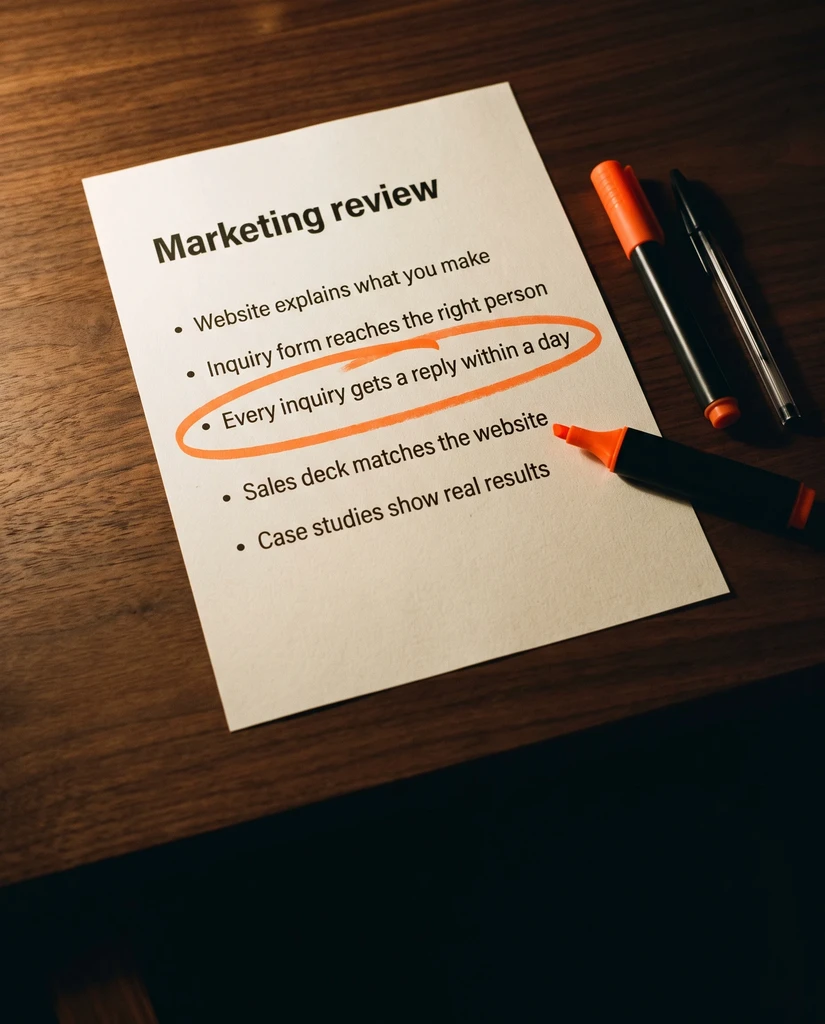 Two minutes, no email neededFind the one thing to fix firstTake the quiz→
Build an RFQ Form That Gets the Information Sales Needs
Choose the right RFQ fields, explain technical inputs, handle uploads and test delivery so buyers can send information your sales team can use.

An RFQ form sits between two legitimate needs. Sales wants enough information to understand the opportunity. The buyer wants to make contact without completing a technical assessment before anyone has replied.
The answer is not automatically fewer fields or more qualification. It is to ask for the information that changes the next action, explain unfamiliar requirements and give buyers a sensible route when they do not know an answer.
Start by defining what a successful first submission should allow your team to do.
Design for the first decision
Ask sales to review a small set of appropriate past inquiries using your approved internal process. Which missing details prevented an initial response? Which details were useful later but unnecessary at first contact?
Separate those groups. Information needed to identify a product family or understand the application may belong on the form. Detailed contractual, commercial or engineering questions may be better handled after someone has reviewed the request.
Make every required field justify its place. “We might want this someday” is not a strong reason to block an inquiry. Neither is copying a competitor's form without knowing how their sales process works.
A form should prepare a conversation, not pretend to complete the entire quoting process.
Build a useful first-pass field set
For an illustrative custom-component inquiry, an initial form might ask for the buyer's contact details, company, part or application description, expected quantity and desired timing. Whether any field is required depends on the actual business.
Use optional prompts for material, dimensions, drawing availability and relevant operating conditions when those details help the team assess fit. Include an honest “not yet known” option where uncertainty is normal.
Keep different concepts separate. Prototype quantity and expected production demand are not the same number. A desired delivery date is not an agreed delivery commitment. Label each accordingly.
Do not make an early-stage buyer invent a part number just to send a message. If replacement-part identification follows a different process, provide a clearly labeled route for it.
Explain the inputs where people enter them
Use language that both technical and purchasing contacts can understand. If a field needs a unit, specify it. If an attachment has a format or size limit, disclose that before the upload begins.
W3C recommends clear instructions identifying required and optional inputs and relevant formats. It also recommends labels associated with the controls they describe. W3C form instructions and labeling guidance
For an illustrative field, “Expected quantity per order” is more useful than “Volume.” A short help line can explain whether an estimate is acceptable. Keep help available while the buyer types rather than relying on text that disappears from the field.
Use conditional questions only when they remove genuine irrelevance. Test every branch so a choice does not leave the buyer trapped with an impossible required field.
Treat drawings as a separate design decision
Before enabling uploads, decide what information the form is appropriate to receive, where files will be stored and who can access them. Have the responsible technical and security owners approve the implementation.
Do not casually invite confidential or restricted drawings into a general-purpose form. Explain the approved alternative if the business needs a separate exchange process. State supported formats and provide a contact route when an upload fails.
Use synthetic files during testing. Check the file that reaches the authorized recipient, not just the filename displayed on the page. A successful-looking upload control is not enough evidence that the document arrived intact and in the right place.
Make failure understandable
Test blank required fields, invalid contact details, unsupported attachments and a failed submission. The buyer should understand what happened and what to do next without losing everything already entered.
W3C's notification guidance calls for errors that identify the affected field and explain how to correct the problem. W3C user notification guidance
After a successful submission, say what has actually happened. Confirm receipt only when the system has accepted the request. Describe the next step using a response expectation your team has approved and can maintain.
Keep any request for marketing communications distinct from the inquiry itself, with privacy and consent wording reviewed for your situation.
Test the complete journey
Submit a clearly marked test from the live form using approved test data. Check the confirmation, internal destination, assigned owner and any CRM record. Repeat the relevant paths on mobile and with a keyboard.
Review the first real inquiries for missing information and unnecessary friction. Ask sales which fields were genuinely useful. Examine failed submissions as well as completed ones; a drop in inquiries is not automatically better qualification.
Improve the form from those observations. The best field set is the one that supports your actual handoff while remaining understandable to the people you want to hear from.
Speak with Debate Marketers about coordinating RFQ copy, design and implementation through a shared, multidisciplinary managed team.
We plan and run admissions campaigns, websites, SEO and AI search, ads and CRM follow-up for schools, manufacturers and growing brands, from teams in New Delhi and Malta.
Published 3 October 2026.
More articles

How to Find Buyers for Export: Marketing and Branding That Win Orders
How import and export companies find buyers in 2026: buyer finder tools, trade data, B2B portals, LinkedIn and AI search, and the branding that wins orders.

AEO and GEO Best Practices for 2026: A Guide for B2B and Retail
What Google, Microsoft and OpenAI say about AEO and GEO, what studies show gets cited, and best practices for B2B pages, product feeds and measurement in 2026.

How to Choose an SEO Agency in 2026: A B2B and Retail Checklist
What to ask an SEO agency, how to score proposals, what AEO and GEO work should cover, what SEO costs in 2026 and the contract terms to agree before signing.
Build an RFQ Form That Gets the Information Sales Needs
Choose the right RFQ fields, explain technical inputs, handle uploads and test delivery so buyers can send information your sales team can use.
An RFQ form sits between two legitimate needs. Sales wants enough information to understand the opportunity. The buyer wants to make contact without completing a technical assessment before anyone has replied.
The answer is not automatically fewer fields or more qualification. It is to ask for the information that changes the next action, explain unfamiliar requirements and give buyers a sensible route when they do not know an answer.
Start by defining what a successful first submission should allow your team to do.
Design for the first decision
Ask sales to review a small set of appropriate past inquiries using your approved internal process. Which missing details prevented an initial response? Which details were useful later but unnecessary at first contact?
Separate those groups. Information needed to identify a product family or understand the application may belong on the form. Detailed contractual, commercial or engineering questions may be better handled after someone has reviewed the request.
Make every required field justify its place. “We might want this someday” is not a strong reason to block an inquiry. Neither is copying a competitor's form without knowing how their sales process works.
A form should prepare a conversation, not pretend to complete the entire quoting process.
Build a useful first-pass field set
For an illustrative custom-component inquiry, an initial form might ask for the buyer's contact details, company, part or application description, expected quantity and desired timing. Whether any field is required depends on the actual business.
Use optional prompts for material, dimensions, drawing availability and relevant operating conditions when those details help the team assess fit. Include an honest “not yet known” option where uncertainty is normal.
Keep different concepts separate. Prototype quantity and expected production demand are not the same number. A desired delivery date is not an agreed delivery commitment. Label each accordingly.
Do not make an early-stage buyer invent a part number just to send a message. If replacement-part identification follows a different process, provide a clearly labeled route for it.
Explain the inputs where people enter them
Use language that both technical and purchasing contacts can understand. If a field needs a unit, specify it. If an attachment has a format or size limit, disclose that before the upload begins.
W3C recommends clear instructions identifying required and optional inputs and relevant formats. It also recommends labels associated with the controls they describe. W3C form instructions and labeling guidance
For an illustrative field, “Expected quantity per order” is more useful than “Volume.” A short help line can explain whether an estimate is acceptable. Keep help available while the buyer types rather than relying on text that disappears from the field.
Use conditional questions only when they remove genuine irrelevance. Test every branch so a choice does not leave the buyer trapped with an impossible required field.
Treat drawings as a separate design decision
Before enabling uploads, decide what information the form is appropriate to receive, where files will be stored and who can access them. Have the responsible technical and security owners approve the implementation.
Do not casually invite confidential or restricted drawings into a general-purpose form. Explain the approved alternative if the business needs a separate exchange process. State supported formats and provide a contact route when an upload fails.
Use synthetic files during testing. Check the file that reaches the authorized recipient, not just the filename displayed on the page. A successful-looking upload control is not enough evidence that the document arrived intact and in the right place.
Make failure understandable
Test blank required fields, invalid contact details, unsupported attachments and a failed submission. The buyer should understand what happened and what to do next without losing everything already entered.
W3C's notification guidance calls for errors that identify the affected field and explain how to correct the problem. W3C user notification guidance
After a successful submission, say what has actually happened. Confirm receipt only when the system has accepted the request. Describe the next step using a response expectation your team has approved and can maintain.
Keep any request for marketing communications distinct from the inquiry itself, with privacy and consent wording reviewed for your situation.
Test the complete journey
Submit a clearly marked test from the live form using approved test data. Check the confirmation, internal destination, assigned owner and any CRM record. Repeat the relevant paths on mobile and with a keyboard.
Review the first real inquiries for missing information and unnecessary friction. Ask sales which fields were genuinely useful. Examine failed submissions as well as completed ones; a drop in inquiries is not automatically better qualification.
Improve the form from those observations. The best field set is the one that supports your actual handoff while remaining understandable to the people you want to hear from.
Speak with Debate Marketers about coordinating RFQ copy, design and implementation through a shared, multidisciplinary managed team.
We plan and run admissions campaigns, websites, SEO and AI search, ads and CRM follow-up for schools, manufacturers and growing brands, from teams in New Delhi and Malta.
Published 3 October 2026.
More articles
How to Find Buyers for Export: Marketing and Branding That Win Orders
How import and export companies find buyers in 2026: buyer finder tools, trade data, B2B portals, LinkedIn and AI search, and the branding that wins orders.
AEO and GEO Best Practices for 2026: A Guide for B2B and Retail
What Google, Microsoft and OpenAI say about AEO and GEO, what studies show gets cited, and best practices for B2B pages, product feeds and measurement in 2026.
How to Choose an SEO Agency in 2026: A B2B and Retail Checklist
What to ask an SEO agency, how to score proposals, what AEO and GEO work should cover, what SEO costs in 2026 and the contract terms to agree before signing.
Build an RFQ Form That Gets the Information Sales Needs
Choose the right RFQ fields, explain technical inputs, handle uploads and test delivery so buyers can send information your sales team can use.
An RFQ form sits between two legitimate needs. Sales wants enough information to understand the opportunity. The buyer wants to make contact without completing a technical assessment before anyone has replied.
The answer is not automatically fewer fields or more qualification. It is to ask for the information that changes the next action, explain unfamiliar requirements and give buyers a sensible route when they do not know an answer.
Start by defining what a successful first submission should allow your team to do.
Design for the first decision
Ask sales to review a small set of appropriate past inquiries using your approved internal process. Which missing details prevented an initial response? Which details were useful later but unnecessary at first contact?
Separate those groups. Information needed to identify a product family or understand the application may belong on the form. Detailed contractual, commercial or engineering questions may be better handled after someone has reviewed the request.
Make every required field justify its place. “We might want this someday” is not a strong reason to block an inquiry. Neither is copying a competitor's form without knowing how their sales process works.
A form should prepare a conversation, not pretend to complete the entire quoting process.
Build a useful first-pass field set
For an illustrative custom-component inquiry, an initial form might ask for the buyer's contact details, company, part or application description, expected quantity and desired timing. Whether any field is required depends on the actual business.
Use optional prompts for material, dimensions, drawing availability and relevant operating conditions when those details help the team assess fit. Include an honest “not yet known” option where uncertainty is normal.
Keep different concepts separate. Prototype quantity and expected production demand are not the same number. A desired delivery date is not an agreed delivery commitment. Label each accordingly.
Do not make an early-stage buyer invent a part number just to send a message. If replacement-part identification follows a different process, provide a clearly labeled route for it.
Explain the inputs where people enter them
Use language that both technical and purchasing contacts can understand. If a field needs a unit, specify it. If an attachment has a format or size limit, disclose that before the upload begins.
W3C recommends clear instructions identifying required and optional inputs and relevant formats. It also recommends labels associated with the controls they describe. W3C form instructions and labeling guidance
For an illustrative field, “Expected quantity per order” is more useful than “Volume.” A short help line can explain whether an estimate is acceptable. Keep help available while the buyer types rather than relying on text that disappears from the field.
Use conditional questions only when they remove genuine irrelevance. Test every branch so a choice does not leave the buyer trapped with an impossible required field.
Treat drawings as a separate design decision
Before enabling uploads, decide what information the form is appropriate to receive, where files will be stored and who can access them. Have the responsible technical and security owners approve the implementation.
Do not casually invite confidential or restricted drawings into a general-purpose form. Explain the approved alternative if the business needs a separate exchange process. State supported formats and provide a contact route when an upload fails.
Use synthetic files during testing. Check the file that reaches the authorized recipient, not just the filename displayed on the page. A successful-looking upload control is not enough evidence that the document arrived intact and in the right place.
Make failure understandable
Test blank required fields, invalid contact details, unsupported attachments and a failed submission. The buyer should understand what happened and what to do next without losing everything already entered.
W3C's notification guidance calls for errors that identify the affected field and explain how to correct the problem. W3C user notification guidance
After a successful submission, say what has actually happened. Confirm receipt only when the system has accepted the request. Describe the next step using a response expectation your team has approved and can maintain.
Keep any request for marketing communications distinct from the inquiry itself, with privacy and consent wording reviewed for your situation.
Test the complete journey
Submit a clearly marked test from the live form using approved test data. Check the confirmation, internal destination, assigned owner and any CRM record. Repeat the relevant paths on mobile and with a keyboard.
Review the first real inquiries for missing information and unnecessary friction. Ask sales which fields were genuinely useful. Examine failed submissions as well as completed ones; a drop in inquiries is not automatically better qualification.
Improve the form from those observations. The best field set is the one that supports your actual handoff while remaining understandable to the people you want to hear from.
Speak with Debate Marketers about coordinating RFQ copy, design and implementation through a shared, multidisciplinary managed team.
We plan and run admissions campaigns, websites, SEO and AI search, ads and CRM follow-up for schools, manufacturers and growing brands, from teams in New Delhi and Malta.
Published 3 October 2026.
More articles
How to Find Buyers for Export: Marketing and Branding That Win Orders
How import and export companies find buyers in 2026: buyer finder tools, trade data, B2B portals, LinkedIn and AI search, and the branding that wins orders.
AEO and GEO Best Practices for 2026: A Guide for B2B and Retail
What Google, Microsoft and OpenAI say about AEO and GEO, what studies show gets cited, and best practices for B2B pages, product feeds and measurement in 2026.
How to Choose an SEO Agency in 2026: A B2B and Retail Checklist
What to ask an SEO agency, how to score proposals, what AEO and GEO work should cover, what SEO costs in 2026 and the contract terms to agree before signing.
Bring your first priority.
Bring one problem: a brand that's drifted, a website that doesn't sell or enquiries going nowhere. We'll spend 30 minutes finding the first fix.
Projects & shared-team retainers
Bring your first priority.
Bring one problem: a brand that's drifted, a website that doesn't sell or enquiries going nowhere. We'll spend 30 minutes finding the first fix.
Projects & shared-team retainers