

Get an AI Summary:
ChatGPT
The volume of ads on Instagram has increased substantially over the past few years, and users across India and the world have noticed. From sponsored posts wedged between your best friend’s vacation photos to Reels ads interrupting your binge-watching session, Instagram’s advertising presence has become hard to ignore.
But here is the good news: while a completely ad-free Instagram experience remains elusive for most users, there are real, practical steps you can take to significantly reduce the number and intrusiveness of ads. This guide covers everything: how Instagram’s ad system works, what “ad-free” actually means in 2026, the subscription options Meta now offers in certain regions, privacy settings you should change today, and the scams you absolutely need to avoid.
At Debate Marketers, we are a marketing and branding agency that lives and breathes social media strategy. We built this guide to be the most useful, transparent, and comprehensive resource on this topic, whether you are an everyday user, a creator, a small business owner, or a privacy-conscious individual who wants more control over their digital experience.
What “Ad-Free Instagram” Actually Means
Let us address the elephant in the room: is a fully ad-free Instagram officially possible? The answer is nuanced.
For most users globally, including those in India, there is no toggle that removes all ads from Instagram. However, the landscape is shifting. Meta has rolled out a paid subscription in the European Union and the United Kingdom that allows users to browse Facebook and Instagram without seeing any ads. The subscription started at approximately €9.99 per month in the EU and £2.99 per month on the web in the UK, with higher pricing on mobile due to Apple and Google’s app store commissions.
Here is how to understand the spectrum of what “ad-free” can mean:
Option / Availability (2026) | What It Does |
Fewer Ads | Adjusting preferences and ad settings can reduce targeted and topic-specific ads, though the total volume may not drop significantly. |
Less Targeted Ads | Disabling off-platform tracking and ad personalisation makes ads less relevant, though you see the same number of them. |
Ad-Free Subscription | A paid monthly plan that completely removes ads from your feed, Stories, Reels, and Explore page. |
Ad Blockers | Third-party tools that attempt to block ads. Limited effectiveness on mobile apps; mostly work on web browsers. |
The bottom line: If you are outside the EU and UK, a completely ad-free Instagram is not officially available yet. But you can meaningfully reduce ad volume and improve ad relevance using the techniques in this guide.
Why Instagram Shows Ads (Simple but Smart)
Instagram is a free platform, and its entire business model runs on advertising revenue. Meta, Instagram’s parent company, generated over $160 billion in advertising revenue globally in recent years, with Instagram contributing a massive share. Understanding this helps set realistic expectations about how to remove ads on Instagram.
Here is how the ad ecosystem works in simple terms:
Businesses pay Meta to show their products and services to specific audiences.
Meta’s algorithm decides which ads to show you based on your behaviour, interests, demographics, and activity across apps and websites.
Creators and influencers also participate by producing sponsored content and paid partnerships, adding another layer of “ad” content to your feed.
You, the user, get the platform for free in exchange for seeing these ads.
Why have ads increased in recent years? Several factors are driving this:
Instagram has aggressively monetised Reels to compete with TikTok, inserting ads between short-form videos.
The Explore page and Suggested Posts sections have become prime real estate for advertisers.
Meta’s advertising inventory has expanded as more businesses, especially small and medium enterprises in India, adopt Instagram as a primary marketing channel.
Algorithmic changes now blend sponsored content more seamlessly into organic feeds, making it harder to distinguish ads from regular posts.
Where Ads Appear on Instagram (Full Breakdown)
Ads are not confined to one part of Instagram. They appear across virtually every surface of the app. Here is a complete breakdown:
Ad Placement / Format | Label Shown / User Control |
Home Feed | "Sponsored" |
Stories Format: Full-screen image or video | "Sponsored" User Control: Swipe past, Hide ad |
Reels Format: Short-form video | "Sponsored" User Control: Hide ad, Not interested |
Explore Page Format: Image, video, carousel | "Sponsored" User Control: Hide ad, Not interested |
Suggested Posts Format: Posts from accounts you don't follow | "Suggested for you" User Control: Not interested |
Search Results Format: Sponsored listings | "Sponsored" User Control: Limited |
Influencer Content Format: Any format | "Paid partnership with..." User Control: Unfollow the influencer |
Brand Collabs Format: Co-branded content | "Paid partnership" User Control: Hide, Report |
Understanding the Labels
“Sponsored” means a business has directly paid Meta to show you that content. “Suggested for you” means Instagram’s algorithm thinks you might be interested based on your behaviour; this is not always a paid ad, but it is algorithm-driven content you did not ask for. “Paid partnership” means a creator or influencer was compensated by a brand to produce and post that content.
How Instagram Targets You (The Ad Targeting System Explained)
If you have ever searched for a product once and then seen ads for it everywhere for the next week, you have experienced Instagram’s ad targeting in action. The Instagram ad preferences system is driven by an enormous data engine. Here is what influences the ads you see:
Data Signal | How It Influences Ads |
Likes and comments | Engaging with fitness content leads to fitness product ads. |
Saves and shares | Saving a recipe post signals interest in kitchen and food products. |
Watch time on Reels | Spending more time on travel Reels triggers travel brand ads. |
Accounts you follow | Following beauty influencers leads to cosmetics and skincare ads. |
Search history | Searching for "running shoes" triggers athletic brand ads. |
Location data | Being in Mumbai may trigger ads for local restaurants and events. |
Device and OS | iPhone users may see ads for premium products more frequently. |
Websites visited (Meta Pixel) | Browsing a shopping site with Meta Pixel installed triggers retargeting ads on Instagram. |
Age, gender, language | Demographic data helps advertisers target specific audience segments. |
Off-app activity | Data shared by partner apps and websites with Meta informs cross-platform ad targeting. |
This is why one search for a product can change your entire ad experience for days. Instagram’s algorithm is aggressive about retargeting, and it compounds signals from multiple data sources to build a comprehensive advertising profile of you.
Can You Turn Off Ads on Instagram?
The short and honest answer: No, you cannot fully turn off ads on Instagram unless you are in a region where Meta’s paid ad-free subscription is available. However, you can significantly reduce their volume and relevance.
Myth vs. Reality
Myth | Reality |
"You can completely block ads on Instagram for free." | There is no free method to remove all ads. You can hide individual ads and adjust preferences. |
"Switching to a business account removes ads." | Business and creator accounts see the same ads. Switching account types does not affect ad visibility. |
"Third-party apps can make Instagram ad-free." | Modded apps and unofficial ad blockers violate Meta’s terms of service and risk account bans or data theft. |
"Hiding one ad removes all similar ads." | Hiding an ad trains the algorithm slightly, but it does not eliminate an entire ad category. |
"Using Instagram on a browser removes ads." | Ads appear on both the mobile app and the web version. Browser ad blockers may reduce some, but not all. |
"Instagram is required to offer an ad-free option everywhere." | The paid subscription is currently driven by EU and UK privacy regulations. There is no global legal mandate. |
How to Reduce Ads on Instagram (Step-by-Step)
This is the most actionable section of this guide. These are real, verified methods to reduce Instagram ads and take back some control over your feed.
A) Change Your Ad Preferences (Settings Path)
Instagram gives you more control over ad preferences than most users realise. Here is how to access and modify them:
Step 1: Open Ad Preferences
Open the Instagram app and go to your profile.
Tap the three-line menu icon (hamburger menu) in the top-right corner.
Select "Settings and activity."
Scroll down and tap "Accounts Center."
Tap "Ad preferences."
Step 2: Review and Adjust Ad Topics
Inside Ad Preferences, tap "Ad topics."
You will see categories like Alcohol, Parenting, Pets, Dating, and more.
For each topic you want fewer ads about, tap "See Less."
This will not eliminate ads in that category but will reduce their frequency.
Step 3: Review Advertisers
Go back to Ad Preferences and tap "Recent ad activity."
Review ads you have recently clicked on or interacted with.
Tap on any advertiser and select "Hide all ads from this advertiser" if applicable.
Step 4: Control Sensitive Topics and Political Ads
Under Ad Preferences, look for options related to social issues, elections, and politics.
You can choose to see fewer ads about these topics.
This is particularly useful during election seasons when political ad volume spikes.
B) Hide Ads (What Happens When You Do)
When you see an ad you do not want, tap the three-dot menu icon on the top-right corner of the ad. You will see several options:
Option | What It Actually Does |
"Hide Ad" | Removes that specific ad from your feed and signals to Instagram that you do not want similar content. Effect is gradual, not instant. |
"Not Interested" | Available on suggested posts and Reels. Tells the algorithm to show less of that content type. More effective over repeated use. |
"Why am I seeing this ad?" | Shows you the targeting criteria (e.g., your age, location, interests). Includes a link to update ad preferences directly. |
"Report Ad" | Flags the ad for policy violations. Use this for misleading, inappropriate, or scam ads. |
Pro tip: Consistently hiding ads and marking "Not interested" across multiple sessions trains the algorithm more effectively than doing it once.
C) Reset Instagram Recommendations
Instagram allows you to reset your suggested content, which can help break the cycle of repetitive ad targeting:
Go to Settings and activity > Suggested content.
Look for the option to reset your suggested content preferences.
Confirm the reset. This clears the data Instagram uses to suggest posts, Reels, and Explore content.
After resetting, be intentional about what you engage with, as the algorithm will immediately start learning from your new behaviour.
D) Reduce Tracking Outside Instagram
Much of Instagram’s ad targeting comes from your activity on other websites and apps. Here is how to limit that:
Off-Facebook Activity (now called "Your activity off Meta technologies"):
Go to Accounts Center > Your information and permissions > Your activity off Meta technologies.
Review the list of websites and apps that have shared data with Meta.
Tap "Clear previous activity" to disconnect historical data.
Toggle off "Future activity" to stop new off-platform data from being used for ad targeting.
Additional Tracking Reduction Checklist:
Limit ad tracking on your device: On iPhone, go to Settings > Privacy & Security > Tracking > disable "Allow Apps to Request to Track." On Android, go to Settings > Google > Ads > Opt out of Ads Personalisation.
Review app permissions: Revoke Instagram’s access to contacts, location (when not in use), and microphone when not needed.
Clear browser cookies regularly: Websites with Meta Pixel track your browsing. Clearing cookies disrupts this tracking loop.
Use a privacy-focused browser: Browsers like Brave or Firefox with enhanced tracking protection reduce the data Meta can collect from your web activity.
Review Meta Accounts Center: Check which accounts are linked and what data is shared across Facebook, Instagram, and WhatsApp.
Ad-Free Instagram Subscription (Paid Option)
Meta has officially launched a paid ad-free Instagram subscription in specific regions. Here is what you need to know:
Where Is It Available?
As of early 2026, the ad-free subscription is available in the European Union and the United Kingdom. Meta introduced this option primarily to comply with EU privacy regulations (specifically the GDPR and the Digital Markets Act) and the UK Information Commissioner’s guidance on targeted advertising consent.
How Does It Work?
Users are presented with a choice: continue using Instagram for free with personalised ads, or pay a monthly fee to remove all ads entirely.
The subscription is managed through Meta’s Accounts Center, meaning one payment covers both Facebook and Instagram if your accounts are linked.
Subscribing also means Meta will not use your data for advertising purposes.
Pricing (EU and UK, as of 2026)
Region | Web Price (Monthly) | Mobile Price (Monthly) |
European Union | €5.99 (reduced from initial €9.99) | Higher due to app store fees |
United Kingdom | £2.99 | £3.99 on iOS/Android |
What About India?
Meta has publicly discussed the possibility of expanding the ad-free subscription model to India, particularly in the context of India’s Digital Personal Data Protection (DPDP) Act. However, as of February 2026, no official launch date has been announced for the Indian market. Meta has also been testing premium subscription plans for AI features across its platforms, which are separate from the ad-removal subscription.
Pros and Cons
Pros | Cons |
Completely removes all ads from feed, Stories, Reels, and Explore. | Monthly cost adds up over time. |
Meta stops using your data for ad targeting. | Not available in most countries, including India. |
Cleaner, distraction-free browsing experience. | Influencer "Paid partnership" content still appears. |
Simple to set up through Accounts Center. | Does not affect how other Meta platforms collect data for non-ad purposes. |
Best Practices to Make Instagram Feel Less Ad-Heavy
Beyond settings changes, these practical habits can significantly reduce how overwhelming ads feel on your Instagram experience:
Use the "Following" feed: Switch from the default algorithmic feed to the "Following" feed, which shows posts only from accounts you follow, in chronological order. This eliminates suggested posts and reduces the algorithm’s ability to inject ads between your content.
Follow more niche creators: A feed filled with accounts you genuinely care about naturally pushes ads further apart. The more organic content you consume, the less prominent ads feel.
Mute accounts that trigger spammy content: If you follow brands or accounts that lead to a flood of related ads, mute them to break the targeting cycle without unfollowing.
Curate your Reels behaviour: Reels is one of the most heavily monetised surfaces. If you spend long sessions watching Reels, you will see more ads. Be intentional: watch what genuinely interests you and quickly scroll past content you are not interested in.
Reduce doom-scrolling: The longer you stay on Instagram in a single session, the more ads you see. Set daily time limits in Settings > Your activity > Time spent.
Engage less with commercial content: Every time you like, save, or tap on a brand’s post, you are signalling to the algorithm to show you more commercial content. Be selective about your engagement.
Periodically clear your search history: Go to Settings > Your activity > Recent searches > Clear all. This removes one of the data signals Instagram uses for ad targeting.
Safety and Scam Warning: Avoid These Fake “Ad-Free Instagram” Tricks
This is critical. The desire for an ad-free Instagram has created a cottage industry of scams, fake tools, and dangerous workarounds. Here is what you need to avoid:
Dangerous Method / Potential Consequences | Why It Is Risky |
Modded APKs (e.g., "Instagram Gold", "Insta Pro") Consequences: Account ban, personal data theft, device compromise. | These are unofficial, modified versions of the Instagram app that can contain malware, spyware, or keyloggers. |
Cracked Instagram apps Consequences: Same as above, plus potential financial fraud. | Similar to modded APKs. These bypass Meta’s security checks and are distributed through untrusted sources. |
Third-party ad blocker apps (mobile) Consequences: Ineffective at best. At worst, they may harvest your data. | Most mobile ad blockers cannot intercept Instagram’s in-app ads because they are served natively within the app’s code. |
Fake browser extensions Consequences: Browser hijacking, phishing, data collection. | Some Chrome or Firefox extensions claim to block Instagram ads but instead inject their own ads or track your browsing. |
"Hack" tutorials on YouTube or Telegram Consequences: Account takeover, identity theft. | These often lead to phishing sites that ask for your Instagram credentials or direct you to install malicious software. |
The rule is simple: If a method requires you to download an unofficial app, share your login credentials with a third-party service, or install software from an untrusted source, it is almost certainly unsafe. Stick to official Instagram settings and Meta’s own tools.
For Marketers: What Ad-Free Trends Mean for Your Advertising Strategy
If you are a marketer or small business owner, the growing user demand for ad-free Instagram experiences should be a wake-up call, not a cause for panic. Here is what it means for your strategy:
Users Hate Ads That Feel Like Ads
The rise of ad fatigue is real. Users are not opposed to discovering new products; they are opposed to being interrupted by content that feels irrelevant, repetitive, or overly salesy. The brands that succeed on Instagram in 2026 are the ones whose ads feel like organic content.
How to Advertise Without Annoying Users
Invest in UGC (User-Generated Content): Ads featuring real customers, unboxed products, or authentic testimonials consistently outperform polished corporate creatives.
Lead with storytelling, not selling: Start your Reels ad with an emotional hook or a relatable scenario, not a product feature list.
Make the first 3 seconds count: Users decide whether to engage or skip within the first 3 seconds of a Reel or Story ad. Use pattern interrupts: unexpected visuals, bold text overlays, or provocative questions.
Use native formats: Ads should look and feel like the content around them. If your audience consumes lo-fi, casual Reels, your ad should match that aesthetic, not look like a TV commercial.
Respect frequency: If you are running retargeting campaigns, cap your ad frequency. Seeing the same ad eight times in a day is the fastest way to generate negative brand sentiment.
Provide genuine value: Tutorials, tips, and how-to content perform exceptionally well as ads because they offer something useful before asking for a purchase.
At Debate Marketers, we help brands create campaigns that feel like content, not interruptions. If you want to build advertising that your audience actually wants to watch, get in touch with our team.
Frequently Asked Questions (FAQs)
1. Can I completely block ads on Instagram?
Not through any free method. You can hide individual ads and adjust ad preferences to see fewer targeted ads, but the only way to fully remove ads is through Meta’s paid subscription, which is currently available only in the EU and UK.
2. Why do I see the same ad repeatedly on Instagram?
This happens because of retargeting. If you have interacted with a brand’s website, liked their content, or searched for related terms, Meta’s algorithm will continue showing you that brand’s ads. You can hide the ad and clear your off-platform activity to reduce repetition.
3. Why are there more ads on Reels than on the regular feed?
Reels is one of Instagram’s fastest-growing surfaces and a primary competitive response to TikTok. Meta has heavily monetised Reels to attract advertiser budgets, which means more ad inventory is available between Reels videos.
4. Does hiding ads on Instagram actually reduce them?
Hiding a single ad has a marginal impact. However, consistently hiding ads and selecting "Not interested" over time trains the algorithm to show fewer ads of that type. It is not a one-time fix but rather a gradual process.
5. Is using a third-party app for ad-free Instagram safe?
No. Modded APKs, cracked apps, and unofficial ad blockers pose significant security risks including malware, data theft, and account bans. Always use official Instagram settings to manage your ad experience.
6. Can I stop personalised ads on Instagram?
You can significantly limit personalisation by disabling off-platform activity tracking, opting out of ad personalisation in your device settings, and limiting the data signals you provide through your behaviour on the app. Ads will still appear, but they will be less targeted.
7. Is the Instagram ad-free subscription available in India?
As of February 2026, Meta has not officially launched the ad-free subscription in India. However, the company has discussed the possibility, particularly in the context of India’s Digital Personal Data Protection Act. There is no confirmed timeline for an India launch.
8. Does switching to a business or creator account reduce ads?
No. Your account type (personal, business, or creator) does not affect the number or type of ads you see in your feed. All account types experience the same advertising load.
9. Can I use a VPN to access the ad-free subscription from India?
Technically, a VPN could change your apparent location, but Meta’s subscription is tied to your account’s billing region and payment method. Using a VPN to circumvent regional restrictions may violate Meta’s terms of service and could result in subscription issues or account complications.
10. How can I tell if an Instagram post is an ad or organic content?
Look for these labels: "Sponsored" (paid ad placed through Meta’s ad system), "Suggested for you" (algorithmically recommended content), and "Paid partnership with [brand]" (influencer-created sponsored content). If none of these labels are present, the post is organic.
11. Will Instagram ever be completely ad-free for everyone?
It is extremely unlikely. Advertising is Meta’s primary revenue source, generating the vast majority of the company’s income. While paid ad-free options may expand to more regions, the free version of Instagram will almost certainly always include ads.
12. Does using Instagram on a web browser show fewer ads?
The web version of Instagram tends to have slightly fewer ad placements than the mobile app, particularly in features like Reels and Stories. However, ads still appear in the feed and Explore page. Browser-based ad blockers may block some ads on the web version but are ineffective in the mobile app.
Final Thoughts: Take Control of Your Instagram Experience
An entirely ad-free Instagram is not yet a reality for most users globally, but that does not mean you are powerless. By understanding how the ad system works, adjusting your settings, being intentional about your behaviour on the platform, and staying away from dangerous scams, you can create a significantly cleaner, more enjoyable Instagram experience.
Whether you are a user frustrated with ad overload, a creator building your audience, or a business trying to reach customers without alienating them, the principles in this guide apply. The key is to be informed, be intentional, and be realistic.
If you are looking for expert help with your social media strategy, ad campaigns, or brand building, Debate Marketers is here to help. We are a marketing and branding agency that specialises in creating campaigns that cut through the noise. Contact us today to start building a digital presence that works.
More articles
Website Development Quotation: How to Compare First-Year Cost and Ownership
Compare website development quotations in India using a first-year cost worksheet covering the build, hosting, licences, content, support and handover.

Social Media Agency Proposal: What a Monthly Retainer Should Actually Include
Compare social media agency proposals by production, approvals, community replies, reporting and ownership. Use the scope card before choosing a retainer.
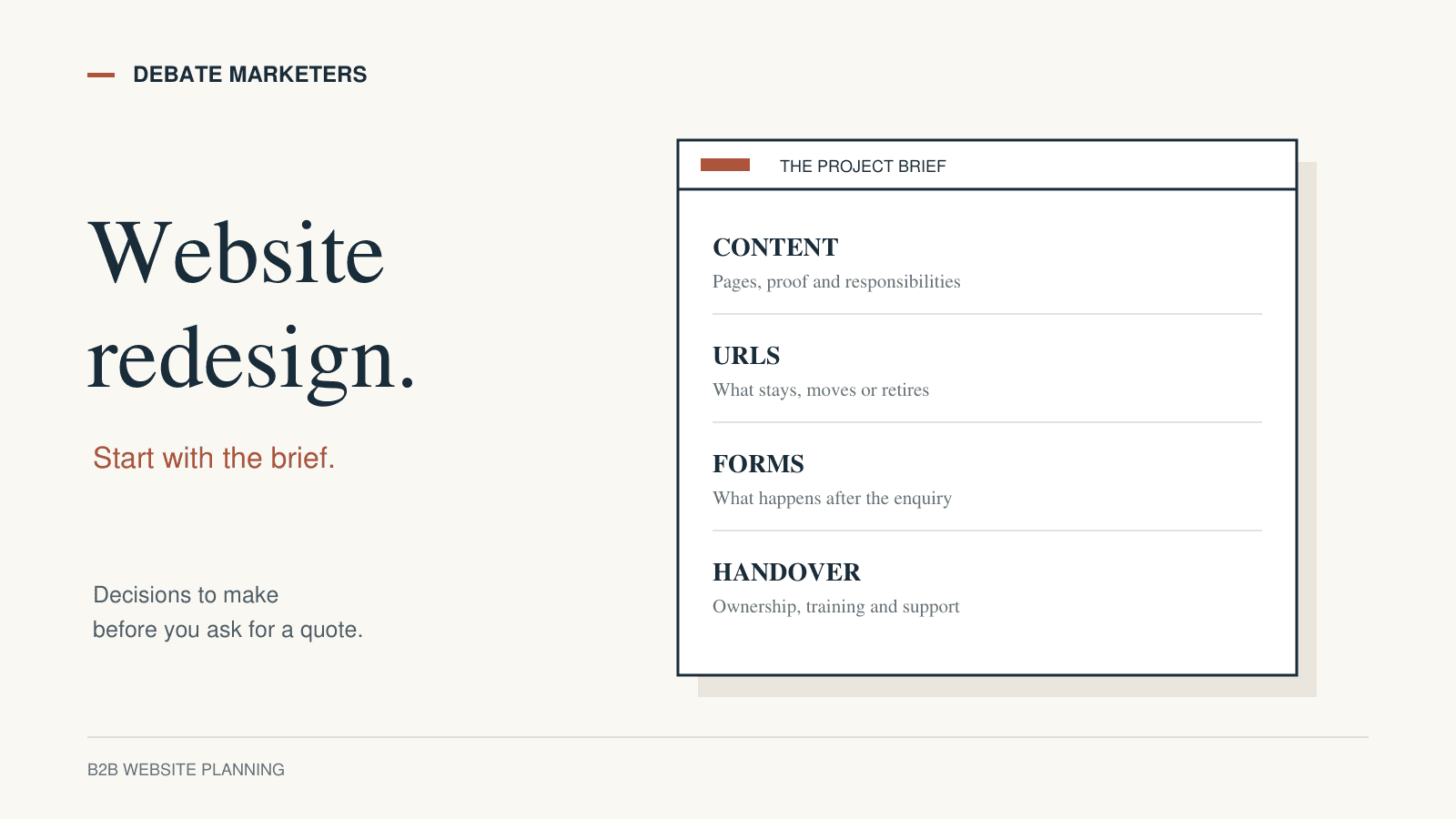
B2B Website Redesign Brief: What to Decide Before You Hire
Plan a B2B website redesign with a clear brief covering content, SEO migration, forms, ownership, testing and handover before hiring an agency.
Get an AI Summary:
ChatGPT
The volume of ads on Instagram has increased substantially over the past few years, and users across India and the world have noticed. From sponsored posts wedged between your best friend’s vacation photos to Reels ads interrupting your binge-watching session, Instagram’s advertising presence has become hard to ignore.
But here is the good news: while a completely ad-free Instagram experience remains elusive for most users, there are real, practical steps you can take to significantly reduce the number and intrusiveness of ads. This guide covers everything: how Instagram’s ad system works, what “ad-free” actually means in 2026, the subscription options Meta now offers in certain regions, privacy settings you should change today, and the scams you absolutely need to avoid.
At Debate Marketers, we are a marketing and branding agency that lives and breathes social media strategy. We built this guide to be the most useful, transparent, and comprehensive resource on this topic, whether you are an everyday user, a creator, a small business owner, or a privacy-conscious individual who wants more control over their digital experience.
What “Ad-Free Instagram” Actually Means
Let us address the elephant in the room: is a fully ad-free Instagram officially possible? The answer is nuanced.
For most users globally, including those in India, there is no toggle that removes all ads from Instagram. However, the landscape is shifting. Meta has rolled out a paid subscription in the European Union and the United Kingdom that allows users to browse Facebook and Instagram without seeing any ads. The subscription started at approximately €9.99 per month in the EU and £2.99 per month on the web in the UK, with higher pricing on mobile due to Apple and Google’s app store commissions.
Here is how to understand the spectrum of what “ad-free” can mean:
Option / Availability (2026) | What It Does |
Fewer Ads | Adjusting preferences and ad settings can reduce targeted and topic-specific ads, though the total volume may not drop significantly. |
Less Targeted Ads | Disabling off-platform tracking and ad personalisation makes ads less relevant, though you see the same number of them. |
Ad-Free Subscription | A paid monthly plan that completely removes ads from your feed, Stories, Reels, and Explore page. |
Ad Blockers | Third-party tools that attempt to block ads. Limited effectiveness on mobile apps; mostly work on web browsers. |
The bottom line: If you are outside the EU and UK, a completely ad-free Instagram is not officially available yet. But you can meaningfully reduce ad volume and improve ad relevance using the techniques in this guide.
Why Instagram Shows Ads (Simple but Smart)
Instagram is a free platform, and its entire business model runs on advertising revenue. Meta, Instagram’s parent company, generated over $160 billion in advertising revenue globally in recent years, with Instagram contributing a massive share. Understanding this helps set realistic expectations about how to remove ads on Instagram.
Here is how the ad ecosystem works in simple terms:
Businesses pay Meta to show their products and services to specific audiences.
Meta’s algorithm decides which ads to show you based on your behaviour, interests, demographics, and activity across apps and websites.
Creators and influencers also participate by producing sponsored content and paid partnerships, adding another layer of “ad” content to your feed.
You, the user, get the platform for free in exchange for seeing these ads.
Why have ads increased in recent years? Several factors are driving this:
Instagram has aggressively monetised Reels to compete with TikTok, inserting ads between short-form videos.
The Explore page and Suggested Posts sections have become prime real estate for advertisers.
Meta’s advertising inventory has expanded as more businesses, especially small and medium enterprises in India, adopt Instagram as a primary marketing channel.
Algorithmic changes now blend sponsored content more seamlessly into organic feeds, making it harder to distinguish ads from regular posts.
Where Ads Appear on Instagram (Full Breakdown)
Ads are not confined to one part of Instagram. They appear across virtually every surface of the app. Here is a complete breakdown:
Ad Placement / Format | Label Shown / User Control |
Home Feed | "Sponsored" |
Stories Format: Full-screen image or video | "Sponsored" User Control: Swipe past, Hide ad |
Reels Format: Short-form video | "Sponsored" User Control: Hide ad, Not interested |
Explore Page Format: Image, video, carousel | "Sponsored" User Control: Hide ad, Not interested |
Suggested Posts Format: Posts from accounts you don't follow | "Suggested for you" User Control: Not interested |
Search Results Format: Sponsored listings | "Sponsored" User Control: Limited |
Influencer Content Format: Any format | "Paid partnership with..." User Control: Unfollow the influencer |
Brand Collabs Format: Co-branded content | "Paid partnership" User Control: Hide, Report |
Understanding the Labels
“Sponsored” means a business has directly paid Meta to show you that content. “Suggested for you” means Instagram’s algorithm thinks you might be interested based on your behaviour; this is not always a paid ad, but it is algorithm-driven content you did not ask for. “Paid partnership” means a creator or influencer was compensated by a brand to produce and post that content.
How Instagram Targets You (The Ad Targeting System Explained)
If you have ever searched for a product once and then seen ads for it everywhere for the next week, you have experienced Instagram’s ad targeting in action. The Instagram ad preferences system is driven by an enormous data engine. Here is what influences the ads you see:
Data Signal | How It Influences Ads |
Likes and comments | Engaging with fitness content leads to fitness product ads. |
Saves and shares | Saving a recipe post signals interest in kitchen and food products. |
Watch time on Reels | Spending more time on travel Reels triggers travel brand ads. |
Accounts you follow | Following beauty influencers leads to cosmetics and skincare ads. |
Search history | Searching for "running shoes" triggers athletic brand ads. |
Location data | Being in Mumbai may trigger ads for local restaurants and events. |
Device and OS | iPhone users may see ads for premium products more frequently. |
Websites visited (Meta Pixel) | Browsing a shopping site with Meta Pixel installed triggers retargeting ads on Instagram. |
Age, gender, language | Demographic data helps advertisers target specific audience segments. |
Off-app activity | Data shared by partner apps and websites with Meta informs cross-platform ad targeting. |
This is why one search for a product can change your entire ad experience for days. Instagram’s algorithm is aggressive about retargeting, and it compounds signals from multiple data sources to build a comprehensive advertising profile of you.
Can You Turn Off Ads on Instagram?
The short and honest answer: No, you cannot fully turn off ads on Instagram unless you are in a region where Meta’s paid ad-free subscription is available. However, you can significantly reduce their volume and relevance.
Myth vs. Reality
Myth | Reality |
"You can completely block ads on Instagram for free." | There is no free method to remove all ads. You can hide individual ads and adjust preferences. |
"Switching to a business account removes ads." | Business and creator accounts see the same ads. Switching account types does not affect ad visibility. |
"Third-party apps can make Instagram ad-free." | Modded apps and unofficial ad blockers violate Meta’s terms of service and risk account bans or data theft. |
"Hiding one ad removes all similar ads." | Hiding an ad trains the algorithm slightly, but it does not eliminate an entire ad category. |
"Using Instagram on a browser removes ads." | Ads appear on both the mobile app and the web version. Browser ad blockers may reduce some, but not all. |
"Instagram is required to offer an ad-free option everywhere." | The paid subscription is currently driven by EU and UK privacy regulations. There is no global legal mandate. |
How to Reduce Ads on Instagram (Step-by-Step)
This is the most actionable section of this guide. These are real, verified methods to reduce Instagram ads and take back some control over your feed.
A) Change Your Ad Preferences (Settings Path)
Instagram gives you more control over ad preferences than most users realise. Here is how to access and modify them:
Step 1: Open Ad Preferences
Open the Instagram app and go to your profile.
Tap the three-line menu icon (hamburger menu) in the top-right corner.
Select "Settings and activity."
Scroll down and tap "Accounts Center."
Tap "Ad preferences."
Step 2: Review and Adjust Ad Topics
Inside Ad Preferences, tap "Ad topics."
You will see categories like Alcohol, Parenting, Pets, Dating, and more.
For each topic you want fewer ads about, tap "See Less."
This will not eliminate ads in that category but will reduce their frequency.
Step 3: Review Advertisers
Go back to Ad Preferences and tap "Recent ad activity."
Review ads you have recently clicked on or interacted with.
Tap on any advertiser and select "Hide all ads from this advertiser" if applicable.
Step 4: Control Sensitive Topics and Political Ads
Under Ad Preferences, look for options related to social issues, elections, and politics.
You can choose to see fewer ads about these topics.
This is particularly useful during election seasons when political ad volume spikes.
B) Hide Ads (What Happens When You Do)
When you see an ad you do not want, tap the three-dot menu icon on the top-right corner of the ad. You will see several options:
Option | What It Actually Does |
"Hide Ad" | Removes that specific ad from your feed and signals to Instagram that you do not want similar content. Effect is gradual, not instant. |
"Not Interested" | Available on suggested posts and Reels. Tells the algorithm to show less of that content type. More effective over repeated use. |
"Why am I seeing this ad?" | Shows you the targeting criteria (e.g., your age, location, interests). Includes a link to update ad preferences directly. |
"Report Ad" | Flags the ad for policy violations. Use this for misleading, inappropriate, or scam ads. |
Pro tip: Consistently hiding ads and marking "Not interested" across multiple sessions trains the algorithm more effectively than doing it once.
C) Reset Instagram Recommendations
Instagram allows you to reset your suggested content, which can help break the cycle of repetitive ad targeting:
Go to Settings and activity > Suggested content.
Look for the option to reset your suggested content preferences.
Confirm the reset. This clears the data Instagram uses to suggest posts, Reels, and Explore content.
After resetting, be intentional about what you engage with, as the algorithm will immediately start learning from your new behaviour.
D) Reduce Tracking Outside Instagram
Much of Instagram’s ad targeting comes from your activity on other websites and apps. Here is how to limit that:
Off-Facebook Activity (now called "Your activity off Meta technologies"):
Go to Accounts Center > Your information and permissions > Your activity off Meta technologies.
Review the list of websites and apps that have shared data with Meta.
Tap "Clear previous activity" to disconnect historical data.
Toggle off "Future activity" to stop new off-platform data from being used for ad targeting.
Additional Tracking Reduction Checklist:
Limit ad tracking on your device: On iPhone, go to Settings > Privacy & Security > Tracking > disable "Allow Apps to Request to Track." On Android, go to Settings > Google > Ads > Opt out of Ads Personalisation.
Review app permissions: Revoke Instagram’s access to contacts, location (when not in use), and microphone when not needed.
Clear browser cookies regularly: Websites with Meta Pixel track your browsing. Clearing cookies disrupts this tracking loop.
Use a privacy-focused browser: Browsers like Brave or Firefox with enhanced tracking protection reduce the data Meta can collect from your web activity.
Review Meta Accounts Center: Check which accounts are linked and what data is shared across Facebook, Instagram, and WhatsApp.
Ad-Free Instagram Subscription (Paid Option)
Meta has officially launched a paid ad-free Instagram subscription in specific regions. Here is what you need to know:
Where Is It Available?
As of early 2026, the ad-free subscription is available in the European Union and the United Kingdom. Meta introduced this option primarily to comply with EU privacy regulations (specifically the GDPR and the Digital Markets Act) and the UK Information Commissioner’s guidance on targeted advertising consent.
How Does It Work?
Users are presented with a choice: continue using Instagram for free with personalised ads, or pay a monthly fee to remove all ads entirely.
The subscription is managed through Meta’s Accounts Center, meaning one payment covers both Facebook and Instagram if your accounts are linked.
Subscribing also means Meta will not use your data for advertising purposes.
Pricing (EU and UK, as of 2026)
Region | Web Price (Monthly) | Mobile Price (Monthly) |
European Union | €5.99 (reduced from initial €9.99) | Higher due to app store fees |
United Kingdom | £2.99 | £3.99 on iOS/Android |
What About India?
Meta has publicly discussed the possibility of expanding the ad-free subscription model to India, particularly in the context of India’s Digital Personal Data Protection (DPDP) Act. However, as of February 2026, no official launch date has been announced for the Indian market. Meta has also been testing premium subscription plans for AI features across its platforms, which are separate from the ad-removal subscription.
Pros and Cons
Pros | Cons |
Completely removes all ads from feed, Stories, Reels, and Explore. | Monthly cost adds up over time. |
Meta stops using your data for ad targeting. | Not available in most countries, including India. |
Cleaner, distraction-free browsing experience. | Influencer "Paid partnership" content still appears. |
Simple to set up through Accounts Center. | Does not affect how other Meta platforms collect data for non-ad purposes. |
Best Practices to Make Instagram Feel Less Ad-Heavy
Beyond settings changes, these practical habits can significantly reduce how overwhelming ads feel on your Instagram experience:
Use the "Following" feed: Switch from the default algorithmic feed to the "Following" feed, which shows posts only from accounts you follow, in chronological order. This eliminates suggested posts and reduces the algorithm’s ability to inject ads between your content.
Follow more niche creators: A feed filled with accounts you genuinely care about naturally pushes ads further apart. The more organic content you consume, the less prominent ads feel.
Mute accounts that trigger spammy content: If you follow brands or accounts that lead to a flood of related ads, mute them to break the targeting cycle without unfollowing.
Curate your Reels behaviour: Reels is one of the most heavily monetised surfaces. If you spend long sessions watching Reels, you will see more ads. Be intentional: watch what genuinely interests you and quickly scroll past content you are not interested in.
Reduce doom-scrolling: The longer you stay on Instagram in a single session, the more ads you see. Set daily time limits in Settings > Your activity > Time spent.
Engage less with commercial content: Every time you like, save, or tap on a brand’s post, you are signalling to the algorithm to show you more commercial content. Be selective about your engagement.
Periodically clear your search history: Go to Settings > Your activity > Recent searches > Clear all. This removes one of the data signals Instagram uses for ad targeting.
Safety and Scam Warning: Avoid These Fake “Ad-Free Instagram” Tricks
This is critical. The desire for an ad-free Instagram has created a cottage industry of scams, fake tools, and dangerous workarounds. Here is what you need to avoid:
Dangerous Method / Potential Consequences | Why It Is Risky |
Modded APKs (e.g., "Instagram Gold", "Insta Pro") Consequences: Account ban, personal data theft, device compromise. | These are unofficial, modified versions of the Instagram app that can contain malware, spyware, or keyloggers. |
Cracked Instagram apps Consequences: Same as above, plus potential financial fraud. | Similar to modded APKs. These bypass Meta’s security checks and are distributed through untrusted sources. |
Third-party ad blocker apps (mobile) Consequences: Ineffective at best. At worst, they may harvest your data. | Most mobile ad blockers cannot intercept Instagram’s in-app ads because they are served natively within the app’s code. |
Fake browser extensions Consequences: Browser hijacking, phishing, data collection. | Some Chrome or Firefox extensions claim to block Instagram ads but instead inject their own ads or track your browsing. |
"Hack" tutorials on YouTube or Telegram Consequences: Account takeover, identity theft. | These often lead to phishing sites that ask for your Instagram credentials or direct you to install malicious software. |
The rule is simple: If a method requires you to download an unofficial app, share your login credentials with a third-party service, or install software from an untrusted source, it is almost certainly unsafe. Stick to official Instagram settings and Meta’s own tools.
For Marketers: What Ad-Free Trends Mean for Your Advertising Strategy
If you are a marketer or small business owner, the growing user demand for ad-free Instagram experiences should be a wake-up call, not a cause for panic. Here is what it means for your strategy:
Users Hate Ads That Feel Like Ads
The rise of ad fatigue is real. Users are not opposed to discovering new products; they are opposed to being interrupted by content that feels irrelevant, repetitive, or overly salesy. The brands that succeed on Instagram in 2026 are the ones whose ads feel like organic content.
How to Advertise Without Annoying Users
Invest in UGC (User-Generated Content): Ads featuring real customers, unboxed products, or authentic testimonials consistently outperform polished corporate creatives.
Lead with storytelling, not selling: Start your Reels ad with an emotional hook or a relatable scenario, not a product feature list.
Make the first 3 seconds count: Users decide whether to engage or skip within the first 3 seconds of a Reel or Story ad. Use pattern interrupts: unexpected visuals, bold text overlays, or provocative questions.
Use native formats: Ads should look and feel like the content around them. If your audience consumes lo-fi, casual Reels, your ad should match that aesthetic, not look like a TV commercial.
Respect frequency: If you are running retargeting campaigns, cap your ad frequency. Seeing the same ad eight times in a day is the fastest way to generate negative brand sentiment.
Provide genuine value: Tutorials, tips, and how-to content perform exceptionally well as ads because they offer something useful before asking for a purchase.
At Debate Marketers, we help brands create campaigns that feel like content, not interruptions. If you want to build advertising that your audience actually wants to watch, get in touch with our team.
Frequently Asked Questions (FAQs)
1. Can I completely block ads on Instagram?
Not through any free method. You can hide individual ads and adjust ad preferences to see fewer targeted ads, but the only way to fully remove ads is through Meta’s paid subscription, which is currently available only in the EU and UK.
2. Why do I see the same ad repeatedly on Instagram?
This happens because of retargeting. If you have interacted with a brand’s website, liked their content, or searched for related terms, Meta’s algorithm will continue showing you that brand’s ads. You can hide the ad and clear your off-platform activity to reduce repetition.
3. Why are there more ads on Reels than on the regular feed?
Reels is one of Instagram’s fastest-growing surfaces and a primary competitive response to TikTok. Meta has heavily monetised Reels to attract advertiser budgets, which means more ad inventory is available between Reels videos.
4. Does hiding ads on Instagram actually reduce them?
Hiding a single ad has a marginal impact. However, consistently hiding ads and selecting "Not interested" over time trains the algorithm to show fewer ads of that type. It is not a one-time fix but rather a gradual process.
5. Is using a third-party app for ad-free Instagram safe?
No. Modded APKs, cracked apps, and unofficial ad blockers pose significant security risks including malware, data theft, and account bans. Always use official Instagram settings to manage your ad experience.
6. Can I stop personalised ads on Instagram?
You can significantly limit personalisation by disabling off-platform activity tracking, opting out of ad personalisation in your device settings, and limiting the data signals you provide through your behaviour on the app. Ads will still appear, but they will be less targeted.
7. Is the Instagram ad-free subscription available in India?
As of February 2026, Meta has not officially launched the ad-free subscription in India. However, the company has discussed the possibility, particularly in the context of India’s Digital Personal Data Protection Act. There is no confirmed timeline for an India launch.
8. Does switching to a business or creator account reduce ads?
No. Your account type (personal, business, or creator) does not affect the number or type of ads you see in your feed. All account types experience the same advertising load.
9. Can I use a VPN to access the ad-free subscription from India?
Technically, a VPN could change your apparent location, but Meta’s subscription is tied to your account’s billing region and payment method. Using a VPN to circumvent regional restrictions may violate Meta’s terms of service and could result in subscription issues or account complications.
10. How can I tell if an Instagram post is an ad or organic content?
Look for these labels: "Sponsored" (paid ad placed through Meta’s ad system), "Suggested for you" (algorithmically recommended content), and "Paid partnership with [brand]" (influencer-created sponsored content). If none of these labels are present, the post is organic.
11. Will Instagram ever be completely ad-free for everyone?
It is extremely unlikely. Advertising is Meta’s primary revenue source, generating the vast majority of the company’s income. While paid ad-free options may expand to more regions, the free version of Instagram will almost certainly always include ads.
12. Does using Instagram on a web browser show fewer ads?
The web version of Instagram tends to have slightly fewer ad placements than the mobile app, particularly in features like Reels and Stories. However, ads still appear in the feed and Explore page. Browser-based ad blockers may block some ads on the web version but are ineffective in the mobile app.
Final Thoughts: Take Control of Your Instagram Experience
An entirely ad-free Instagram is not yet a reality for most users globally, but that does not mean you are powerless. By understanding how the ad system works, adjusting your settings, being intentional about your behaviour on the platform, and staying away from dangerous scams, you can create a significantly cleaner, more enjoyable Instagram experience.
Whether you are a user frustrated with ad overload, a creator building your audience, or a business trying to reach customers without alienating them, the principles in this guide apply. The key is to be informed, be intentional, and be realistic.
If you are looking for expert help with your social media strategy, ad campaigns, or brand building, Debate Marketers is here to help. We are a marketing and branding agency that specialises in creating campaigns that cut through the noise. Contact us today to start building a digital presence that works.
More articles
Website Development Quotation: How to Compare First-Year Cost and Ownership
Compare website development quotations in India using a first-year cost worksheet covering the build, hosting, licences, content, support and handover.
Social Media Agency Proposal: What a Monthly Retainer Should Actually Include
Compare social media agency proposals by production, approvals, community replies, reporting and ownership. Use the scope card before choosing a retainer.
B2B Website Redesign Brief: What to Decide Before You Hire
Plan a B2B website redesign with a clear brief covering content, SEO migration, forms, ownership, testing and handover before hiring an agency.
Get an AI Summary:
ChatGPT
The volume of ads on Instagram has increased substantially over the past few years, and users across India and the world have noticed. From sponsored posts wedged between your best friend’s vacation photos to Reels ads interrupting your binge-watching session, Instagram’s advertising presence has become hard to ignore.
But here is the good news: while a completely ad-free Instagram experience remains elusive for most users, there are real, practical steps you can take to significantly reduce the number and intrusiveness of ads. This guide covers everything: how Instagram’s ad system works, what “ad-free” actually means in 2026, the subscription options Meta now offers in certain regions, privacy settings you should change today, and the scams you absolutely need to avoid.
At Debate Marketers, we are a marketing and branding agency that lives and breathes social media strategy. We built this guide to be the most useful, transparent, and comprehensive resource on this topic, whether you are an everyday user, a creator, a small business owner, or a privacy-conscious individual who wants more control over their digital experience.
What “Ad-Free Instagram” Actually Means
Let us address the elephant in the room: is a fully ad-free Instagram officially possible? The answer is nuanced.
For most users globally, including those in India, there is no toggle that removes all ads from Instagram. However, the landscape is shifting. Meta has rolled out a paid subscription in the European Union and the United Kingdom that allows users to browse Facebook and Instagram without seeing any ads. The subscription started at approximately €9.99 per month in the EU and £2.99 per month on the web in the UK, with higher pricing on mobile due to Apple and Google’s app store commissions.
Here is how to understand the spectrum of what “ad-free” can mean:
Option / Availability (2026) | What It Does |
Fewer Ads | Adjusting preferences and ad settings can reduce targeted and topic-specific ads, though the total volume may not drop significantly. |
Less Targeted Ads | Disabling off-platform tracking and ad personalisation makes ads less relevant, though you see the same number of them. |
Ad-Free Subscription | A paid monthly plan that completely removes ads from your feed, Stories, Reels, and Explore page. |
Ad Blockers | Third-party tools that attempt to block ads. Limited effectiveness on mobile apps; mostly work on web browsers. |
The bottom line: If you are outside the EU and UK, a completely ad-free Instagram is not officially available yet. But you can meaningfully reduce ad volume and improve ad relevance using the techniques in this guide.
Why Instagram Shows Ads (Simple but Smart)
Instagram is a free platform, and its entire business model runs on advertising revenue. Meta, Instagram’s parent company, generated over $160 billion in advertising revenue globally in recent years, with Instagram contributing a massive share. Understanding this helps set realistic expectations about how to remove ads on Instagram.
Here is how the ad ecosystem works in simple terms:
Businesses pay Meta to show their products and services to specific audiences.
Meta’s algorithm decides which ads to show you based on your behaviour, interests, demographics, and activity across apps and websites.
Creators and influencers also participate by producing sponsored content and paid partnerships, adding another layer of “ad” content to your feed.
You, the user, get the platform for free in exchange for seeing these ads.
Why have ads increased in recent years? Several factors are driving this:
Instagram has aggressively monetised Reels to compete with TikTok, inserting ads between short-form videos.
The Explore page and Suggested Posts sections have become prime real estate for advertisers.
Meta’s advertising inventory has expanded as more businesses, especially small and medium enterprises in India, adopt Instagram as a primary marketing channel.
Algorithmic changes now blend sponsored content more seamlessly into organic feeds, making it harder to distinguish ads from regular posts.
Where Ads Appear on Instagram (Full Breakdown)
Ads are not confined to one part of Instagram. They appear across virtually every surface of the app. Here is a complete breakdown:
Ad Placement / Format | Label Shown / User Control |
Home Feed | "Sponsored" |
Stories Format: Full-screen image or video | "Sponsored" User Control: Swipe past, Hide ad |
Reels Format: Short-form video | "Sponsored" User Control: Hide ad, Not interested |
Explore Page Format: Image, video, carousel | "Sponsored" User Control: Hide ad, Not interested |
Suggested Posts Format: Posts from accounts you don't follow | "Suggested for you" User Control: Not interested |
Search Results Format: Sponsored listings | "Sponsored" User Control: Limited |
Influencer Content Format: Any format | "Paid partnership with..." User Control: Unfollow the influencer |
Brand Collabs Format: Co-branded content | "Paid partnership" User Control: Hide, Report |
Understanding the Labels
“Sponsored” means a business has directly paid Meta to show you that content. “Suggested for you” means Instagram’s algorithm thinks you might be interested based on your behaviour; this is not always a paid ad, but it is algorithm-driven content you did not ask for. “Paid partnership” means a creator or influencer was compensated by a brand to produce and post that content.
How Instagram Targets You (The Ad Targeting System Explained)
If you have ever searched for a product once and then seen ads for it everywhere for the next week, you have experienced Instagram’s ad targeting in action. The Instagram ad preferences system is driven by an enormous data engine. Here is what influences the ads you see:
Data Signal | How It Influences Ads |
Likes and comments | Engaging with fitness content leads to fitness product ads. |
Saves and shares | Saving a recipe post signals interest in kitchen and food products. |
Watch time on Reels | Spending more time on travel Reels triggers travel brand ads. |
Accounts you follow | Following beauty influencers leads to cosmetics and skincare ads. |
Search history | Searching for "running shoes" triggers athletic brand ads. |
Location data | Being in Mumbai may trigger ads for local restaurants and events. |
Device and OS | iPhone users may see ads for premium products more frequently. |
Websites visited (Meta Pixel) | Browsing a shopping site with Meta Pixel installed triggers retargeting ads on Instagram. |
Age, gender, language | Demographic data helps advertisers target specific audience segments. |
Off-app activity | Data shared by partner apps and websites with Meta informs cross-platform ad targeting. |
This is why one search for a product can change your entire ad experience for days. Instagram’s algorithm is aggressive about retargeting, and it compounds signals from multiple data sources to build a comprehensive advertising profile of you.
Can You Turn Off Ads on Instagram?
The short and honest answer: No, you cannot fully turn off ads on Instagram unless you are in a region where Meta’s paid ad-free subscription is available. However, you can significantly reduce their volume and relevance.
Myth vs. Reality
Myth | Reality |
"You can completely block ads on Instagram for free." | There is no free method to remove all ads. You can hide individual ads and adjust preferences. |
"Switching to a business account removes ads." | Business and creator accounts see the same ads. Switching account types does not affect ad visibility. |
"Third-party apps can make Instagram ad-free." | Modded apps and unofficial ad blockers violate Meta’s terms of service and risk account bans or data theft. |
"Hiding one ad removes all similar ads." | Hiding an ad trains the algorithm slightly, but it does not eliminate an entire ad category. |
"Using Instagram on a browser removes ads." | Ads appear on both the mobile app and the web version. Browser ad blockers may reduce some, but not all. |
"Instagram is required to offer an ad-free option everywhere." | The paid subscription is currently driven by EU and UK privacy regulations. There is no global legal mandate. |
How to Reduce Ads on Instagram (Step-by-Step)
This is the most actionable section of this guide. These are real, verified methods to reduce Instagram ads and take back some control over your feed.
A) Change Your Ad Preferences (Settings Path)
Instagram gives you more control over ad preferences than most users realise. Here is how to access and modify them:
Step 1: Open Ad Preferences
Open the Instagram app and go to your profile.
Tap the three-line menu icon (hamburger menu) in the top-right corner.
Select "Settings and activity."
Scroll down and tap "Accounts Center."
Tap "Ad preferences."
Step 2: Review and Adjust Ad Topics
Inside Ad Preferences, tap "Ad topics."
You will see categories like Alcohol, Parenting, Pets, Dating, and more.
For each topic you want fewer ads about, tap "See Less."
This will not eliminate ads in that category but will reduce their frequency.
Step 3: Review Advertisers
Go back to Ad Preferences and tap "Recent ad activity."
Review ads you have recently clicked on or interacted with.
Tap on any advertiser and select "Hide all ads from this advertiser" if applicable.
Step 4: Control Sensitive Topics and Political Ads
Under Ad Preferences, look for options related to social issues, elections, and politics.
You can choose to see fewer ads about these topics.
This is particularly useful during election seasons when political ad volume spikes.
B) Hide Ads (What Happens When You Do)
When you see an ad you do not want, tap the three-dot menu icon on the top-right corner of the ad. You will see several options:
Option | What It Actually Does |
"Hide Ad" | Removes that specific ad from your feed and signals to Instagram that you do not want similar content. Effect is gradual, not instant. |
"Not Interested" | Available on suggested posts and Reels. Tells the algorithm to show less of that content type. More effective over repeated use. |
"Why am I seeing this ad?" | Shows you the targeting criteria (e.g., your age, location, interests). Includes a link to update ad preferences directly. |
"Report Ad" | Flags the ad for policy violations. Use this for misleading, inappropriate, or scam ads. |
Pro tip: Consistently hiding ads and marking "Not interested" across multiple sessions trains the algorithm more effectively than doing it once.
C) Reset Instagram Recommendations
Instagram allows you to reset your suggested content, which can help break the cycle of repetitive ad targeting:
Go to Settings and activity > Suggested content.
Look for the option to reset your suggested content preferences.
Confirm the reset. This clears the data Instagram uses to suggest posts, Reels, and Explore content.
After resetting, be intentional about what you engage with, as the algorithm will immediately start learning from your new behaviour.
D) Reduce Tracking Outside Instagram
Much of Instagram’s ad targeting comes from your activity on other websites and apps. Here is how to limit that:
Off-Facebook Activity (now called "Your activity off Meta technologies"):
Go to Accounts Center > Your information and permissions > Your activity off Meta technologies.
Review the list of websites and apps that have shared data with Meta.
Tap "Clear previous activity" to disconnect historical data.
Toggle off "Future activity" to stop new off-platform data from being used for ad targeting.
Additional Tracking Reduction Checklist:
Limit ad tracking on your device: On iPhone, go to Settings > Privacy & Security > Tracking > disable "Allow Apps to Request to Track." On Android, go to Settings > Google > Ads > Opt out of Ads Personalisation.
Review app permissions: Revoke Instagram’s access to contacts, location (when not in use), and microphone when not needed.
Clear browser cookies regularly: Websites with Meta Pixel track your browsing. Clearing cookies disrupts this tracking loop.
Use a privacy-focused browser: Browsers like Brave or Firefox with enhanced tracking protection reduce the data Meta can collect from your web activity.
Review Meta Accounts Center: Check which accounts are linked and what data is shared across Facebook, Instagram, and WhatsApp.
Ad-Free Instagram Subscription (Paid Option)
Meta has officially launched a paid ad-free Instagram subscription in specific regions. Here is what you need to know:
Where Is It Available?
As of early 2026, the ad-free subscription is available in the European Union and the United Kingdom. Meta introduced this option primarily to comply with EU privacy regulations (specifically the GDPR and the Digital Markets Act) and the UK Information Commissioner’s guidance on targeted advertising consent.
How Does It Work?
Users are presented with a choice: continue using Instagram for free with personalised ads, or pay a monthly fee to remove all ads entirely.
The subscription is managed through Meta’s Accounts Center, meaning one payment covers both Facebook and Instagram if your accounts are linked.
Subscribing also means Meta will not use your data for advertising purposes.
Pricing (EU and UK, as of 2026)
Region | Web Price (Monthly) | Mobile Price (Monthly) |
European Union | €5.99 (reduced from initial €9.99) | Higher due to app store fees |
United Kingdom | £2.99 | £3.99 on iOS/Android |
What About India?
Meta has publicly discussed the possibility of expanding the ad-free subscription model to India, particularly in the context of India’s Digital Personal Data Protection (DPDP) Act. However, as of February 2026, no official launch date has been announced for the Indian market. Meta has also been testing premium subscription plans for AI features across its platforms, which are separate from the ad-removal subscription.
Pros and Cons
Pros | Cons |
Completely removes all ads from feed, Stories, Reels, and Explore. | Monthly cost adds up over time. |
Meta stops using your data for ad targeting. | Not available in most countries, including India. |
Cleaner, distraction-free browsing experience. | Influencer "Paid partnership" content still appears. |
Simple to set up through Accounts Center. | Does not affect how other Meta platforms collect data for non-ad purposes. |
Best Practices to Make Instagram Feel Less Ad-Heavy
Beyond settings changes, these practical habits can significantly reduce how overwhelming ads feel on your Instagram experience:
Use the "Following" feed: Switch from the default algorithmic feed to the "Following" feed, which shows posts only from accounts you follow, in chronological order. This eliminates suggested posts and reduces the algorithm’s ability to inject ads between your content.
Follow more niche creators: A feed filled with accounts you genuinely care about naturally pushes ads further apart. The more organic content you consume, the less prominent ads feel.
Mute accounts that trigger spammy content: If you follow brands or accounts that lead to a flood of related ads, mute them to break the targeting cycle without unfollowing.
Curate your Reels behaviour: Reels is one of the most heavily monetised surfaces. If you spend long sessions watching Reels, you will see more ads. Be intentional: watch what genuinely interests you and quickly scroll past content you are not interested in.
Reduce doom-scrolling: The longer you stay on Instagram in a single session, the more ads you see. Set daily time limits in Settings > Your activity > Time spent.
Engage less with commercial content: Every time you like, save, or tap on a brand’s post, you are signalling to the algorithm to show you more commercial content. Be selective about your engagement.
Periodically clear your search history: Go to Settings > Your activity > Recent searches > Clear all. This removes one of the data signals Instagram uses for ad targeting.
Safety and Scam Warning: Avoid These Fake “Ad-Free Instagram” Tricks
This is critical. The desire for an ad-free Instagram has created a cottage industry of scams, fake tools, and dangerous workarounds. Here is what you need to avoid:
Dangerous Method / Potential Consequences | Why It Is Risky |
Modded APKs (e.g., "Instagram Gold", "Insta Pro") Consequences: Account ban, personal data theft, device compromise. | These are unofficial, modified versions of the Instagram app that can contain malware, spyware, or keyloggers. |
Cracked Instagram apps Consequences: Same as above, plus potential financial fraud. | Similar to modded APKs. These bypass Meta’s security checks and are distributed through untrusted sources. |
Third-party ad blocker apps (mobile) Consequences: Ineffective at best. At worst, they may harvest your data. | Most mobile ad blockers cannot intercept Instagram’s in-app ads because they are served natively within the app’s code. |
Fake browser extensions Consequences: Browser hijacking, phishing, data collection. | Some Chrome or Firefox extensions claim to block Instagram ads but instead inject their own ads or track your browsing. |
"Hack" tutorials on YouTube or Telegram Consequences: Account takeover, identity theft. | These often lead to phishing sites that ask for your Instagram credentials or direct you to install malicious software. |
The rule is simple: If a method requires you to download an unofficial app, share your login credentials with a third-party service, or install software from an untrusted source, it is almost certainly unsafe. Stick to official Instagram settings and Meta’s own tools.
For Marketers: What Ad-Free Trends Mean for Your Advertising Strategy
If you are a marketer or small business owner, the growing user demand for ad-free Instagram experiences should be a wake-up call, not a cause for panic. Here is what it means for your strategy:
Users Hate Ads That Feel Like Ads
The rise of ad fatigue is real. Users are not opposed to discovering new products; they are opposed to being interrupted by content that feels irrelevant, repetitive, or overly salesy. The brands that succeed on Instagram in 2026 are the ones whose ads feel like organic content.
How to Advertise Without Annoying Users
Invest in UGC (User-Generated Content): Ads featuring real customers, unboxed products, or authentic testimonials consistently outperform polished corporate creatives.
Lead with storytelling, not selling: Start your Reels ad with an emotional hook or a relatable scenario, not a product feature list.
Make the first 3 seconds count: Users decide whether to engage or skip within the first 3 seconds of a Reel or Story ad. Use pattern interrupts: unexpected visuals, bold text overlays, or provocative questions.
Use native formats: Ads should look and feel like the content around them. If your audience consumes lo-fi, casual Reels, your ad should match that aesthetic, not look like a TV commercial.
Respect frequency: If you are running retargeting campaigns, cap your ad frequency. Seeing the same ad eight times in a day is the fastest way to generate negative brand sentiment.
Provide genuine value: Tutorials, tips, and how-to content perform exceptionally well as ads because they offer something useful before asking for a purchase.
At Debate Marketers, we help brands create campaigns that feel like content, not interruptions. If you want to build advertising that your audience actually wants to watch, get in touch with our team.
Frequently Asked Questions (FAQs)
1. Can I completely block ads on Instagram?
Not through any free method. You can hide individual ads and adjust ad preferences to see fewer targeted ads, but the only way to fully remove ads is through Meta’s paid subscription, which is currently available only in the EU and UK.
2. Why do I see the same ad repeatedly on Instagram?
This happens because of retargeting. If you have interacted with a brand’s website, liked their content, or searched for related terms, Meta’s algorithm will continue showing you that brand’s ads. You can hide the ad and clear your off-platform activity to reduce repetition.
3. Why are there more ads on Reels than on the regular feed?
Reels is one of Instagram’s fastest-growing surfaces and a primary competitive response to TikTok. Meta has heavily monetised Reels to attract advertiser budgets, which means more ad inventory is available between Reels videos.
4. Does hiding ads on Instagram actually reduce them?
Hiding a single ad has a marginal impact. However, consistently hiding ads and selecting "Not interested" over time trains the algorithm to show fewer ads of that type. It is not a one-time fix but rather a gradual process.
5. Is using a third-party app for ad-free Instagram safe?
No. Modded APKs, cracked apps, and unofficial ad blockers pose significant security risks including malware, data theft, and account bans. Always use official Instagram settings to manage your ad experience.
6. Can I stop personalised ads on Instagram?
You can significantly limit personalisation by disabling off-platform activity tracking, opting out of ad personalisation in your device settings, and limiting the data signals you provide through your behaviour on the app. Ads will still appear, but they will be less targeted.
7. Is the Instagram ad-free subscription available in India?
As of February 2026, Meta has not officially launched the ad-free subscription in India. However, the company has discussed the possibility, particularly in the context of India’s Digital Personal Data Protection Act. There is no confirmed timeline for an India launch.
8. Does switching to a business or creator account reduce ads?
No. Your account type (personal, business, or creator) does not affect the number or type of ads you see in your feed. All account types experience the same advertising load.
9. Can I use a VPN to access the ad-free subscription from India?
Technically, a VPN could change your apparent location, but Meta’s subscription is tied to your account’s billing region and payment method. Using a VPN to circumvent regional restrictions may violate Meta’s terms of service and could result in subscription issues or account complications.
10. How can I tell if an Instagram post is an ad or organic content?
Look for these labels: "Sponsored" (paid ad placed through Meta’s ad system), "Suggested for you" (algorithmically recommended content), and "Paid partnership with [brand]" (influencer-created sponsored content). If none of these labels are present, the post is organic.
11. Will Instagram ever be completely ad-free for everyone?
It is extremely unlikely. Advertising is Meta’s primary revenue source, generating the vast majority of the company’s income. While paid ad-free options may expand to more regions, the free version of Instagram will almost certainly always include ads.
12. Does using Instagram on a web browser show fewer ads?
The web version of Instagram tends to have slightly fewer ad placements than the mobile app, particularly in features like Reels and Stories. However, ads still appear in the feed and Explore page. Browser-based ad blockers may block some ads on the web version but are ineffective in the mobile app.
Final Thoughts: Take Control of Your Instagram Experience
An entirely ad-free Instagram is not yet a reality for most users globally, but that does not mean you are powerless. By understanding how the ad system works, adjusting your settings, being intentional about your behaviour on the platform, and staying away from dangerous scams, you can create a significantly cleaner, more enjoyable Instagram experience.
Whether you are a user frustrated with ad overload, a creator building your audience, or a business trying to reach customers without alienating them, the principles in this guide apply. The key is to be informed, be intentional, and be realistic.
If you are looking for expert help with your social media strategy, ad campaigns, or brand building, Debate Marketers is here to help. We are a marketing and branding agency that specialises in creating campaigns that cut through the noise. Contact us today to start building a digital presence that works.

More articles
Website Development Quotation: How to Compare First-Year Cost and Ownership
Compare website development quotations in India using a first-year cost worksheet covering the build, hosting, licences, content, support and handover.
Social Media Agency Proposal: What a Monthly Retainer Should Actually Include
Compare social media agency proposals by production, approvals, community replies, reporting and ownership. Use the scope card before choosing a retainer.
B2B Website Redesign Brief: What to Decide Before You Hire
Plan a B2B website redesign with a clear brief covering content, SEO migration, forms, ownership, testing and handover before hiring an agency.